Company Southwest Airlines | Industry Aviation | Platform Web App
Overview
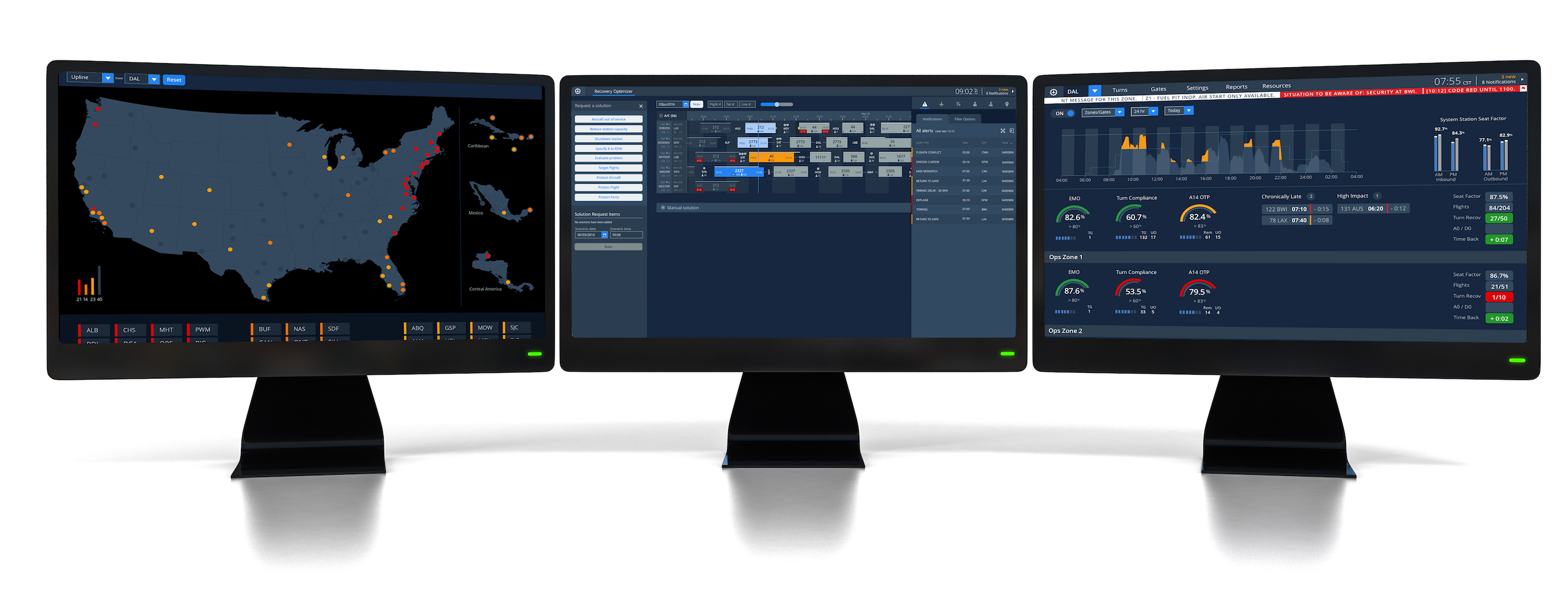
Ops Suite focuses on replacing Southwest Integrated Flight Tracker(SWIFT), a 20+-year-old software system consisting of many different applications that the operations team in the Network Operations Control (NOC) uses daily. SWIFT is a robust set of tools that allows users to complete their jobs promptly and keep Southwest operations moving smoothly. However, the long-term goal is to transfer most of the functionality from SWIFT to OpsSuite. In addition to SWIFT, there are various other apps, websites, Excel documents, and more that people use daily to complete their jobs.
Role
Product Designer | Product Manager
Contributions
Product Strategy | User Research | Interaction | Visual Design | Prototyping & Testing | Information Architecture

Current Experience
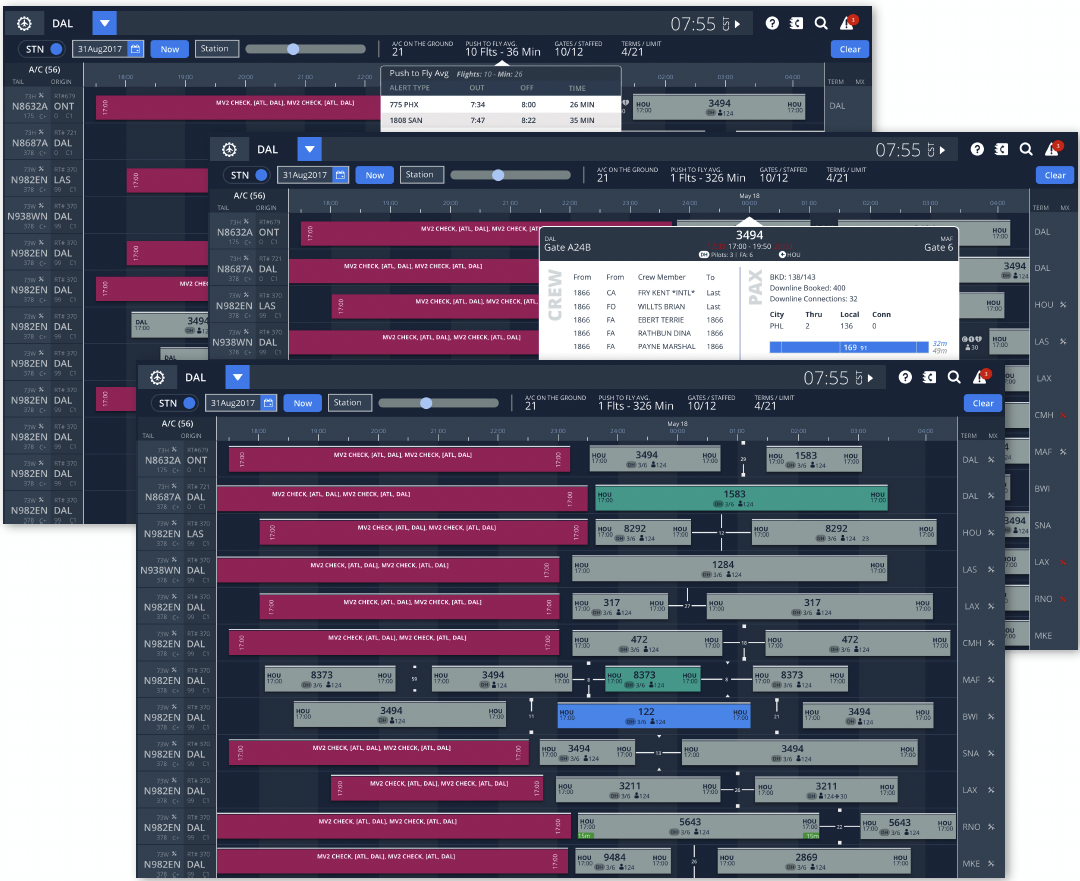
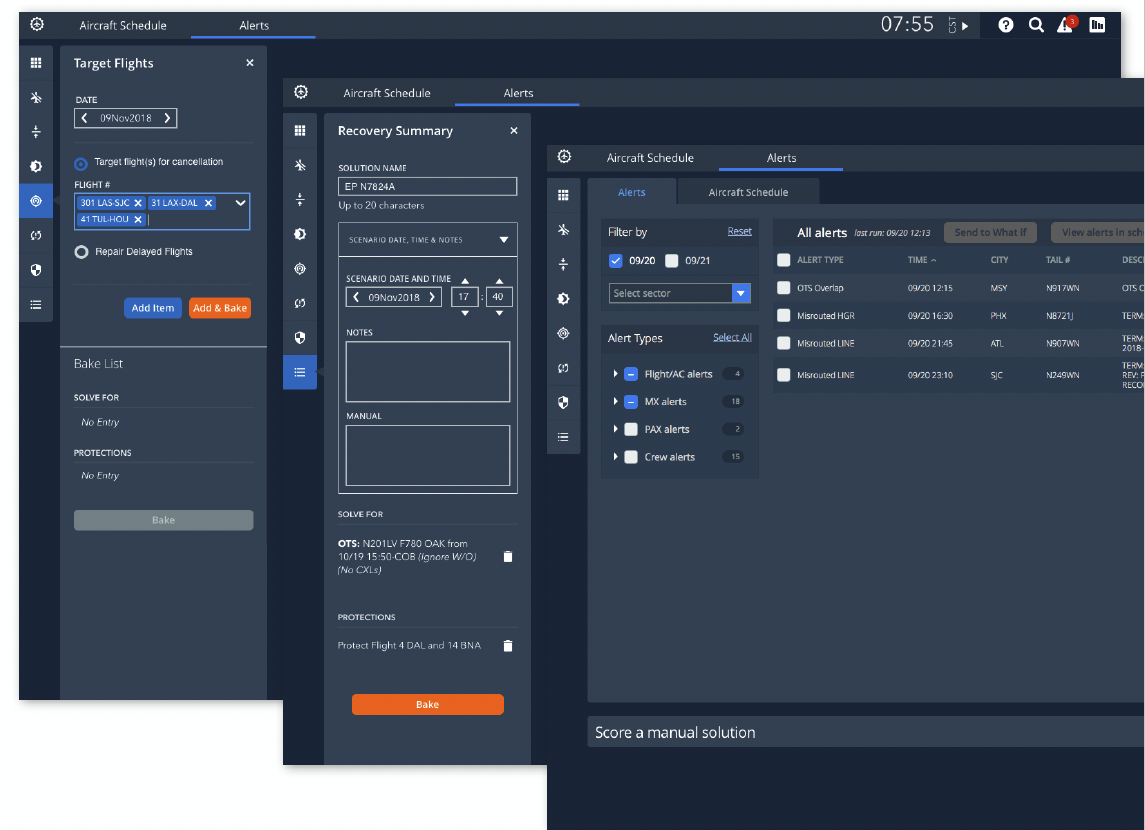
Aircraft Schedule
Recover Optimizer
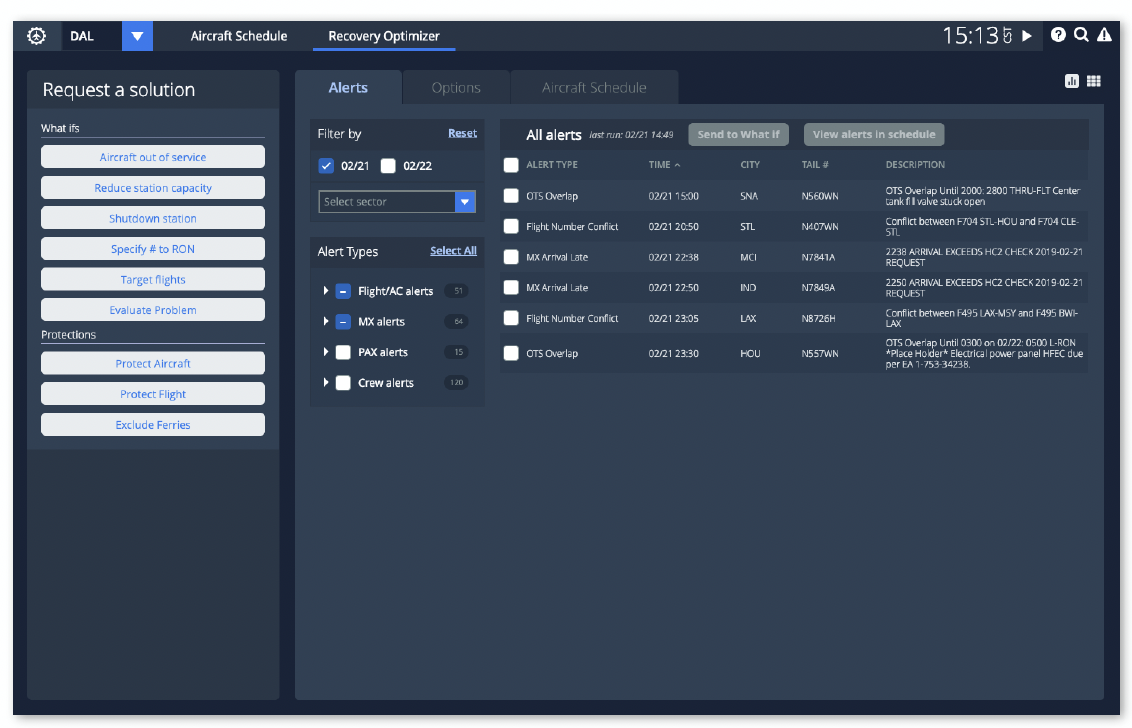
What If Panel
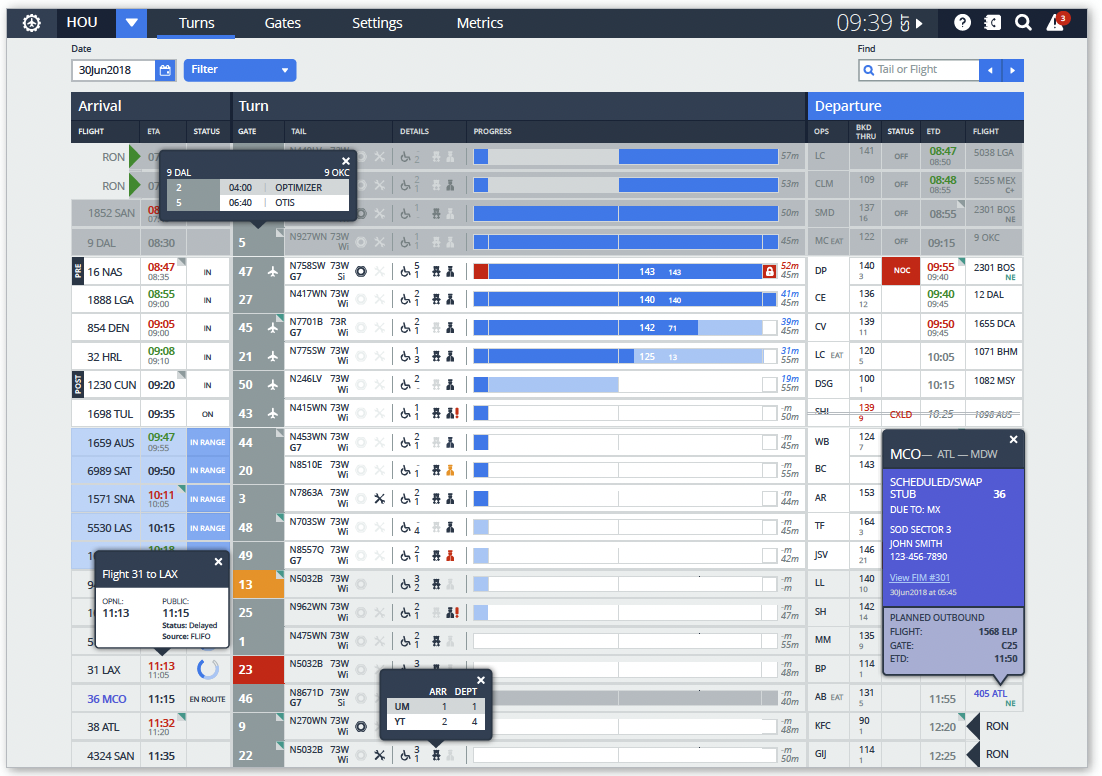
Turn Schedule
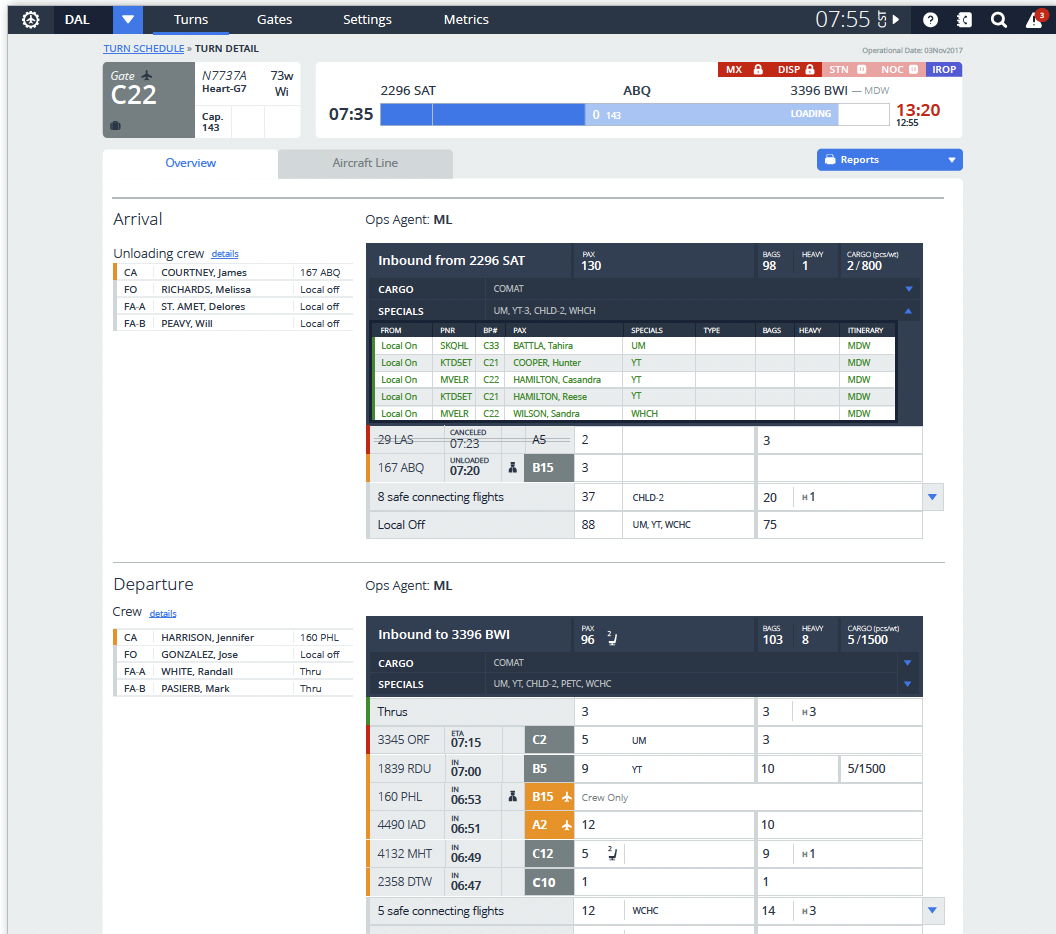
Turn Details
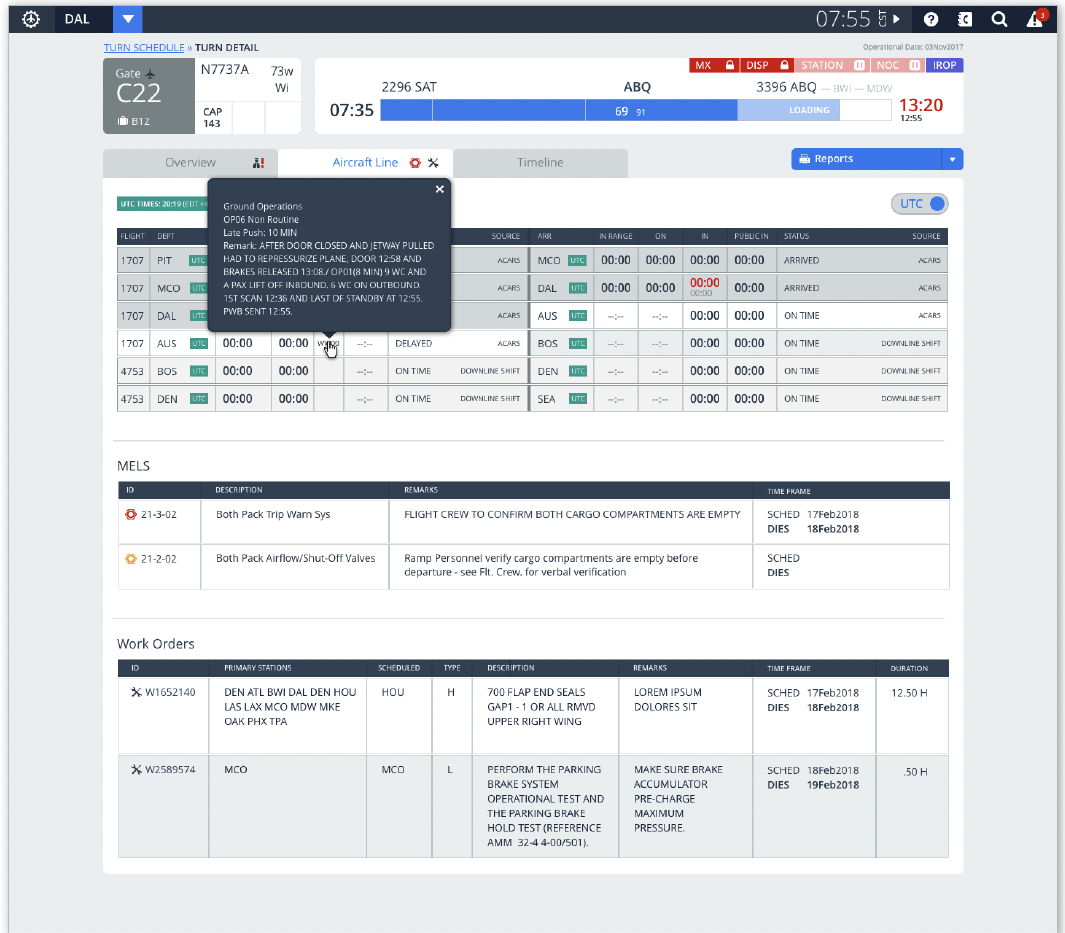
Turn Aircraft Line
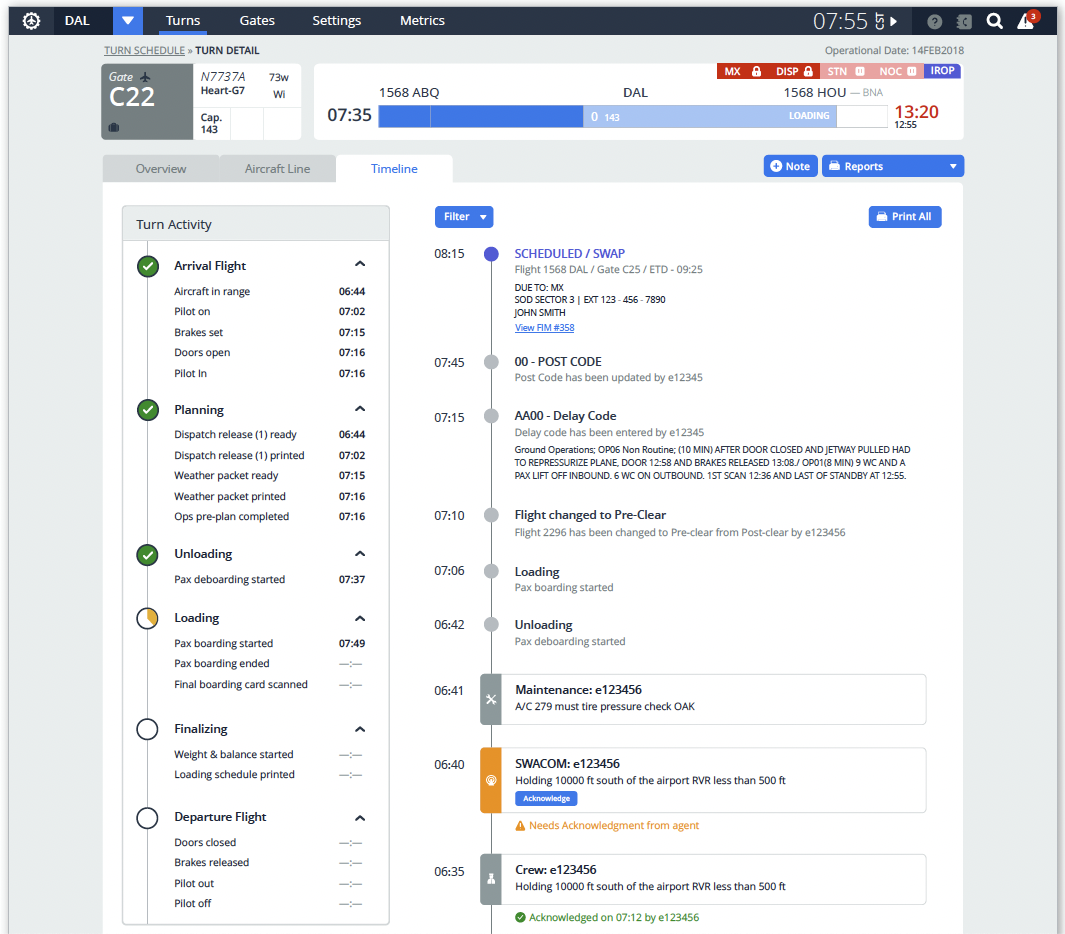
Turn Timeline
Gate Management
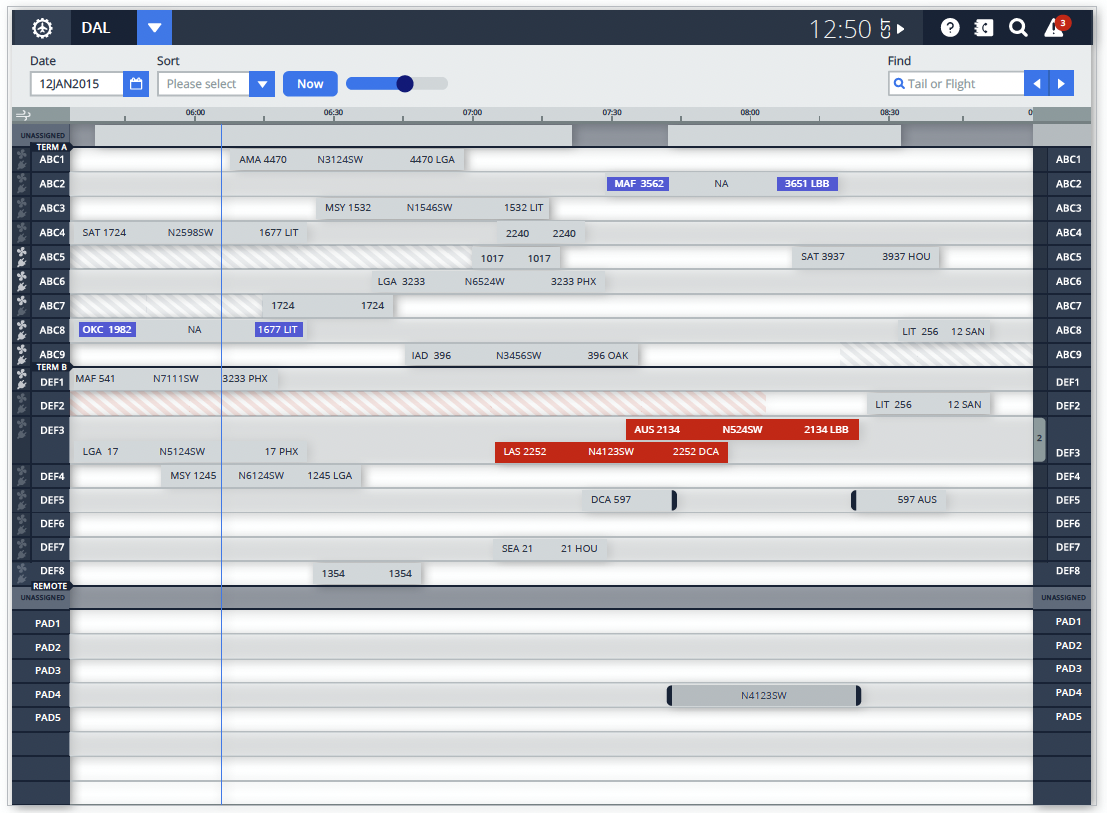
Gate Management
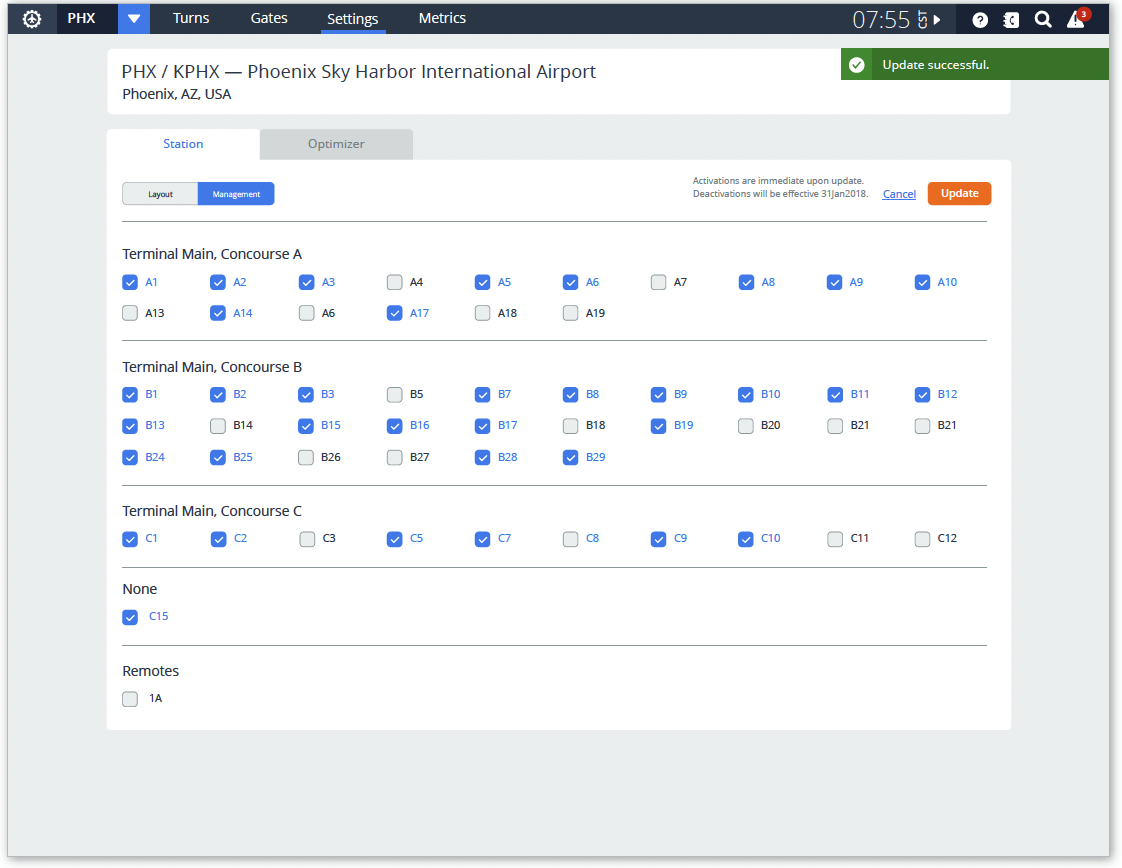
Gate Detail
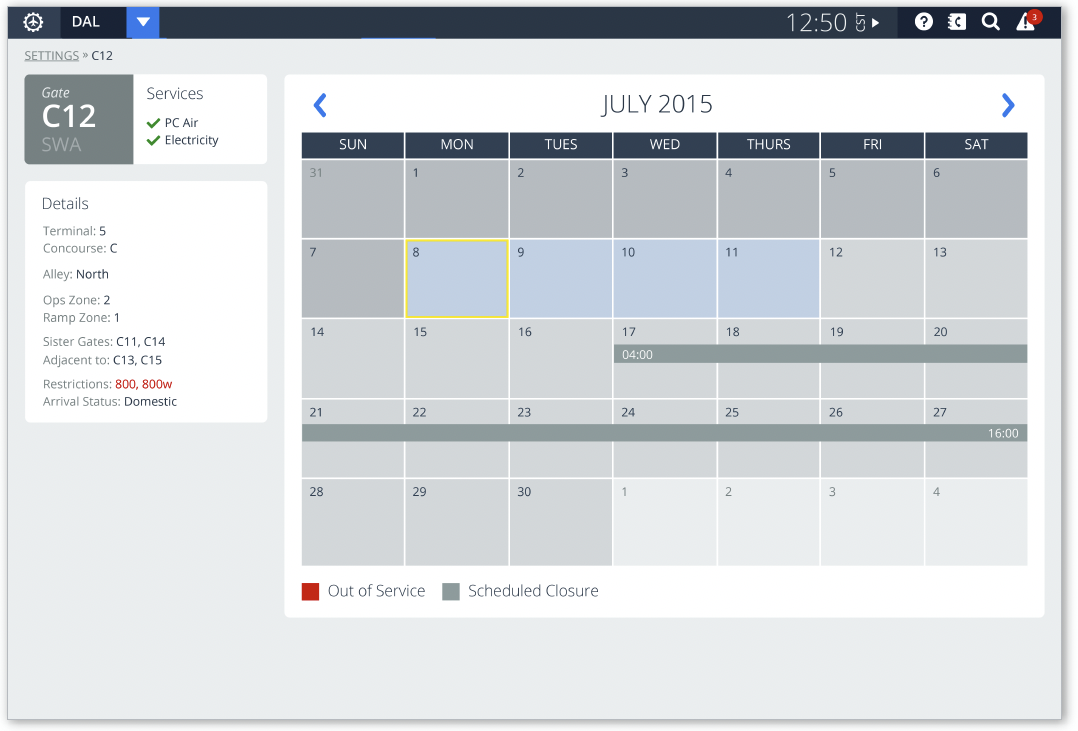
Station Settings
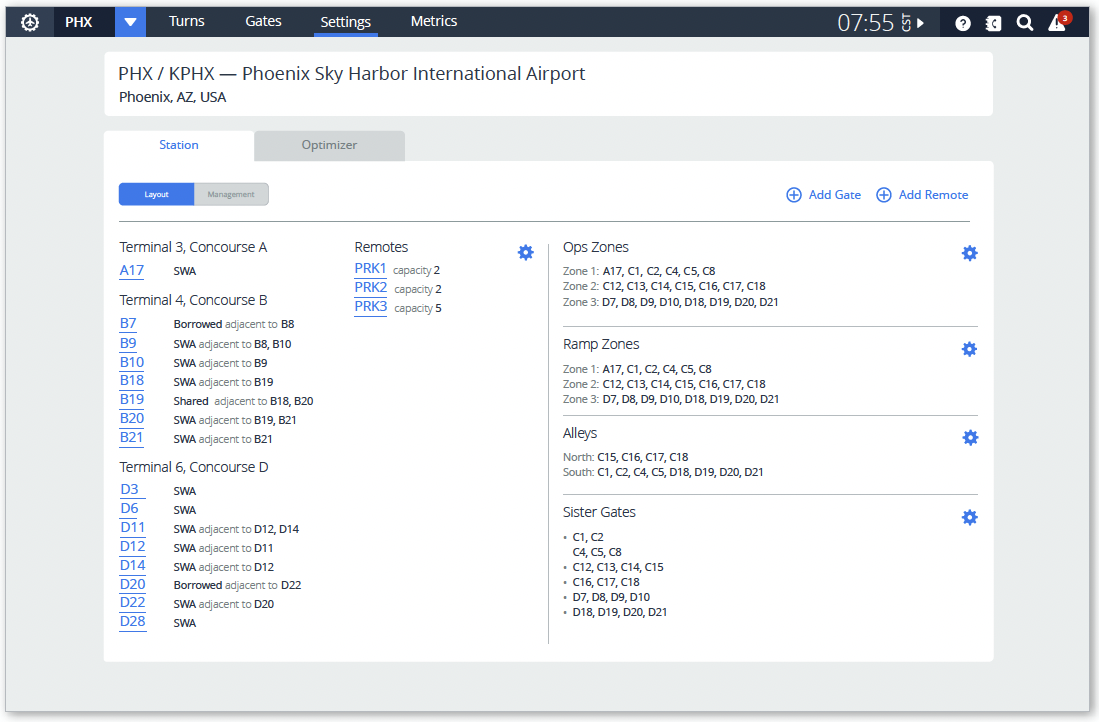
Goals
-
Replace the current app to improve scalability across the suite of products.
-
Operate on an integrated platform with a common user interface that bridges user groups rather than silo roles by function.
-
Use real-time data and continuous feedback loops to ensure the correct data is in the right place to encourage data-driven decision-making.
-
Enable collaboration and communication between user groups, facilitating cross-functional decisions.
-
Support management, by exception, alerts users to issues that need attention and provides recommended solutions, allowing them to focus their time away from “task work.”
Behind the Scenes | Creating the app from end-end
The History: What steps can we take to enhance this 25-year-old bundle of Joy?

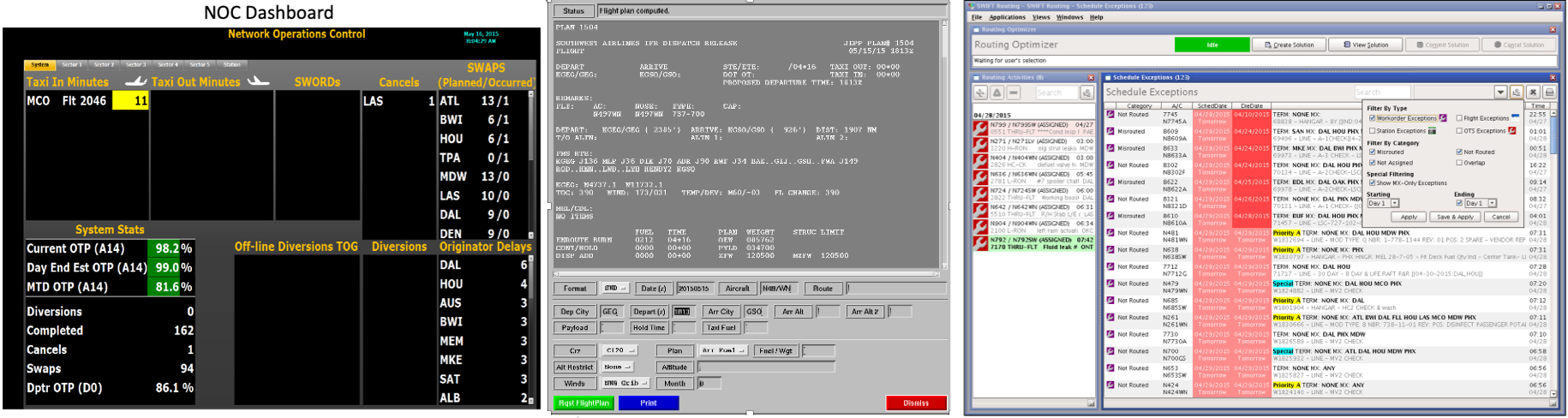
Process Overview
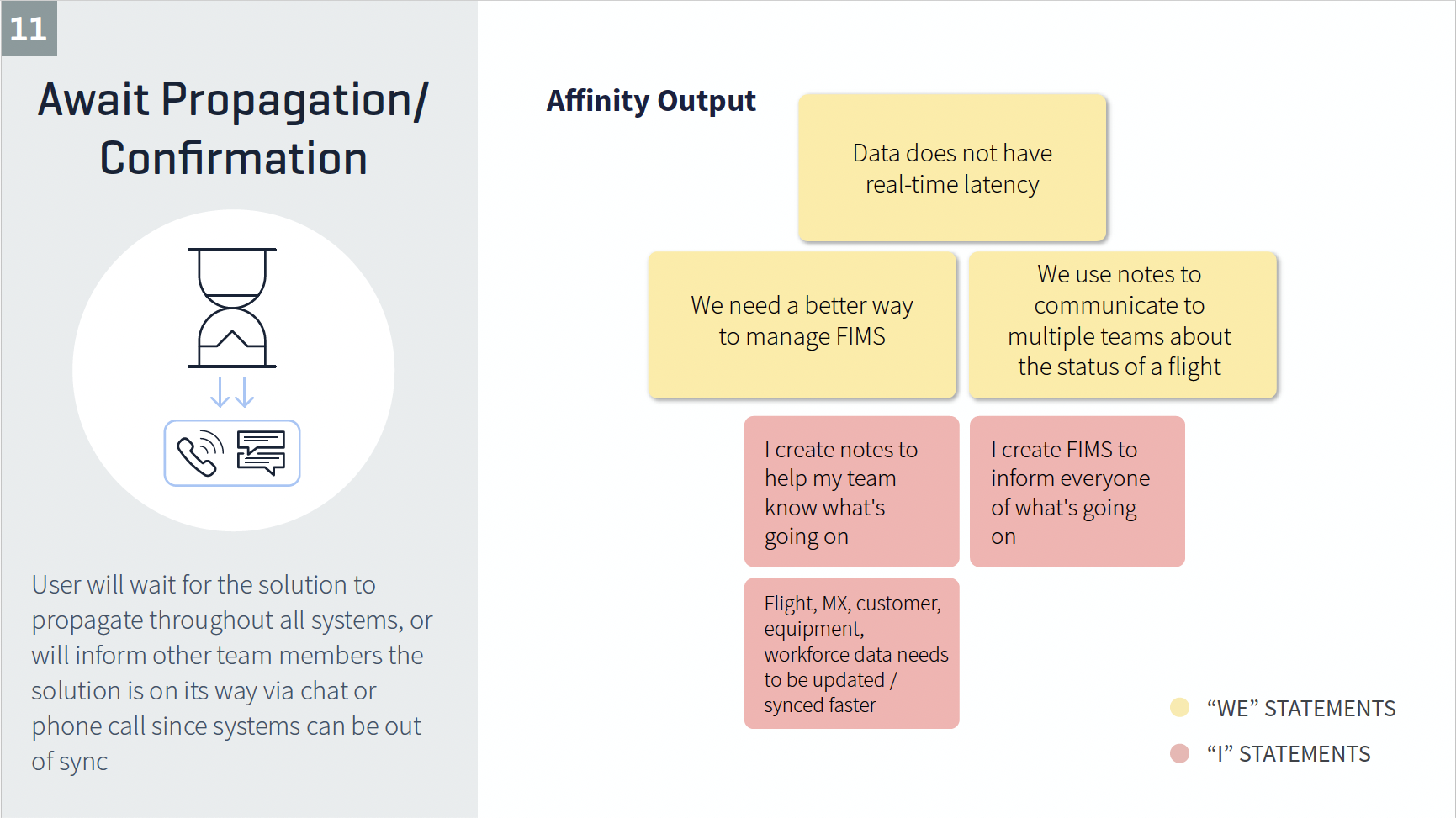
Notes, observations, and quotes were recorded and printed on sticky notes for collective analysis. Similar sticky notes are assigned “I” statements and summarized into broader “We” or theme statements. These summaries were then utilized to identify opportunities for improvement and enhancements.
Outputs of analysis include but are not limited to:
- UX themes and principals
- Journey maps and consolidated workflows
- Personas
Research
Stakeholder interviews
User observations
Workshop facilitation
Defining user objectives and needs
Developing user personas
Uncovering obstacles in the existing user experience
Evaluating low-fidelity and high-fidelity prototypes based on feedback
User ObservationsObserving the Superintendents of Dispatch (SODs) perform their daily tasks from the Network Operations Center (NOC). Through direct observation of the SODs, I was able to uncover their needs, motivations, and aspirations. By observing the users in their natural environments, I was able to:
|
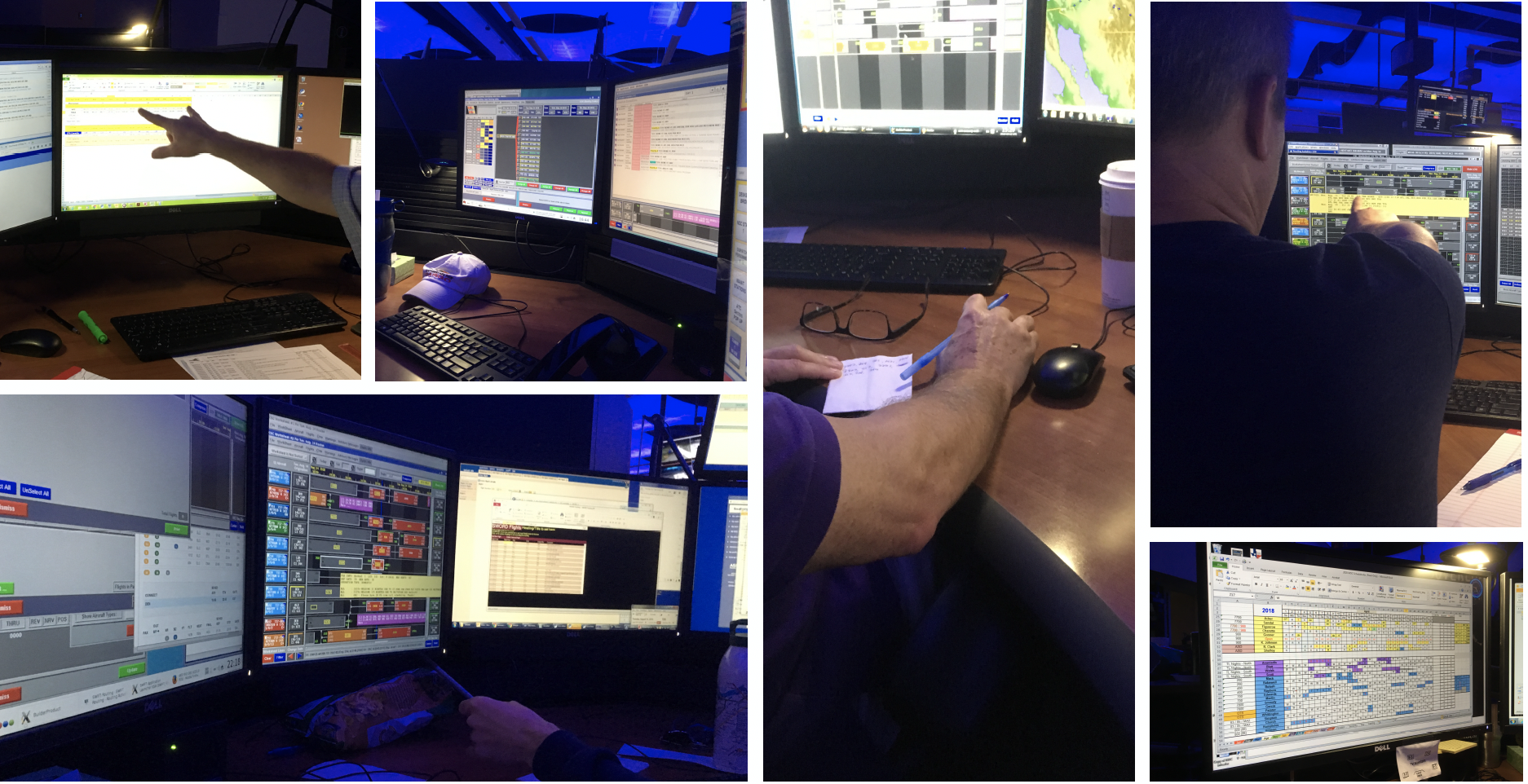
WorkshopsConducted interactive workshops to facilitate collaborative sessions with users, enabling them to solve problems and make progress throughout the design process. |
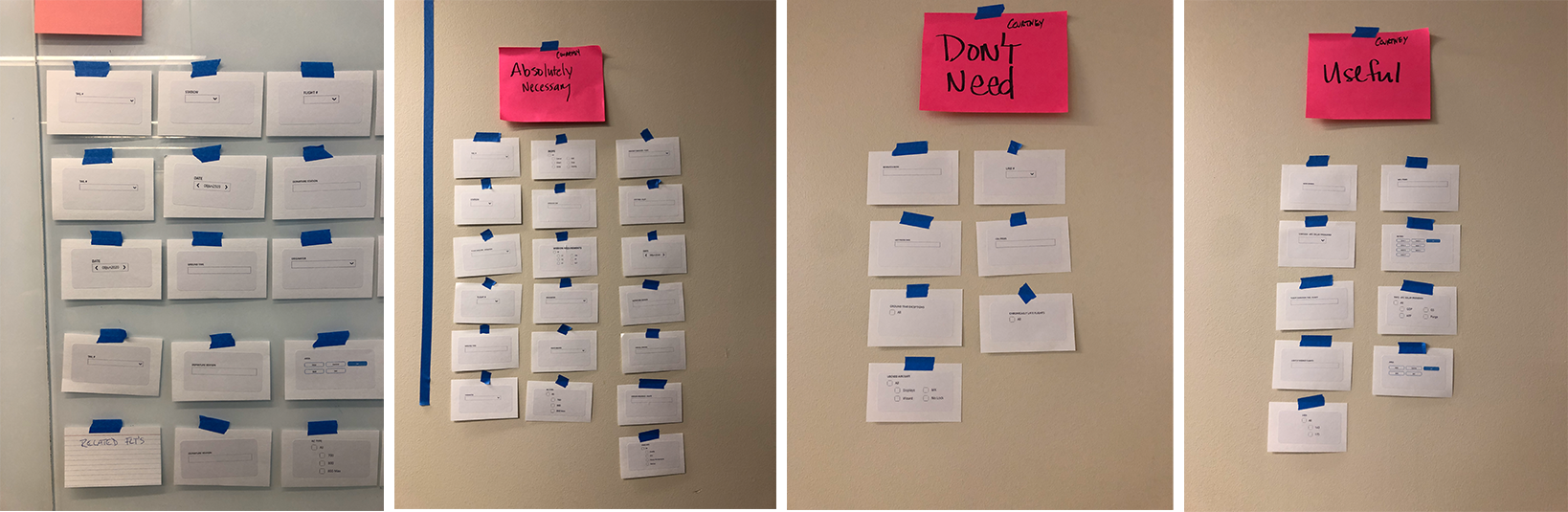
Card Sorting
|
|
|

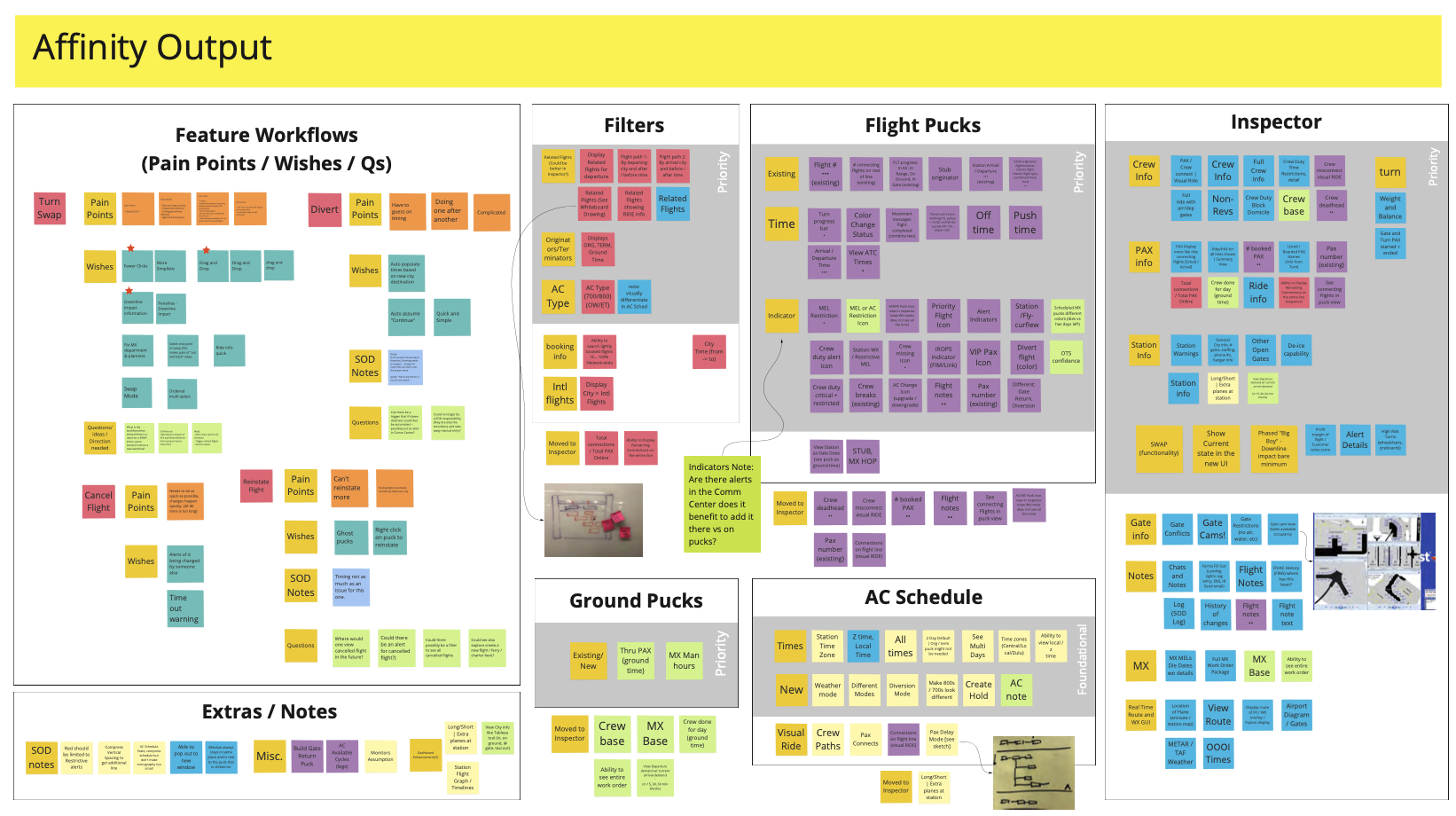
Insights and Resolutions
Current Pain Points
- Data distributed among various applications and channels
- Distrust leading to further investigation and workflow
- Manual oversight and reactive issue resolution
- Unintuitive user interfaces with concealed actions and interactions
- Various methods to achieve the same task with inconsistent processes
- Numerous system workarounds required
Future Pain Points
- Consistency
- Establish user experience patterns
- Discoverability
- Favors recognition over recall
- Minimalist Design
- Offer only essential information
- Use Efficiency
- Account for both novice and expert users
Themes & Opportunities
- Exception Driven Alerting
- Increase Data Integrity
- Reduce Redundancy in Processes
- User Personalization
- Role-Based Configuration
- Visibility & Accessibility
- Rapid Access to Information
- Improved Data Visualization
PersonasBased on user research, personas were created to align strategy and goals with the various users of the application. |
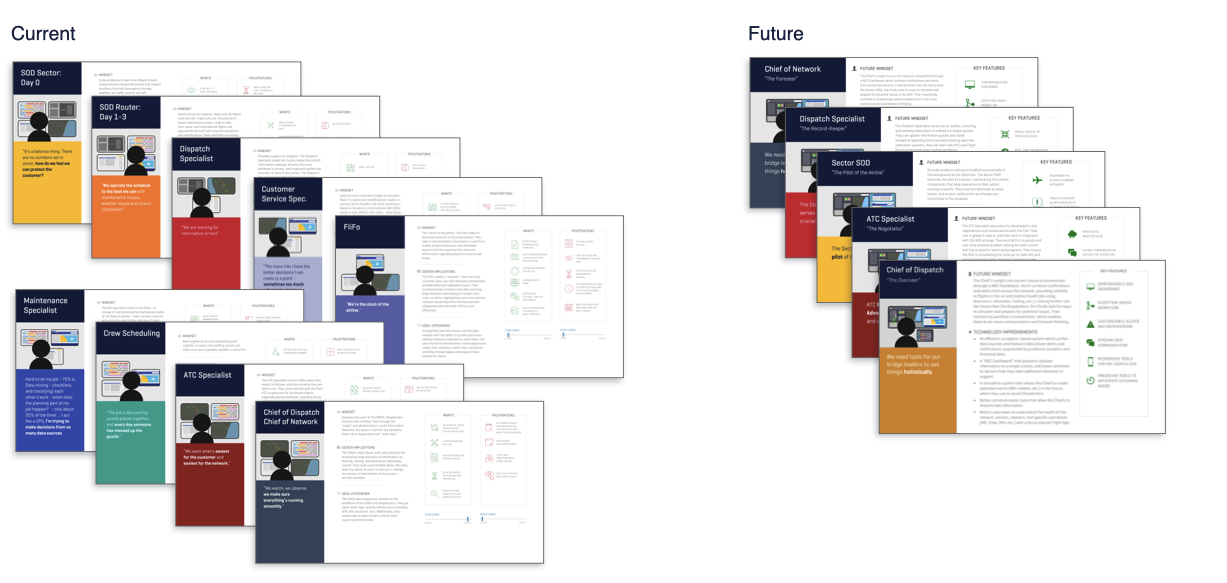 |
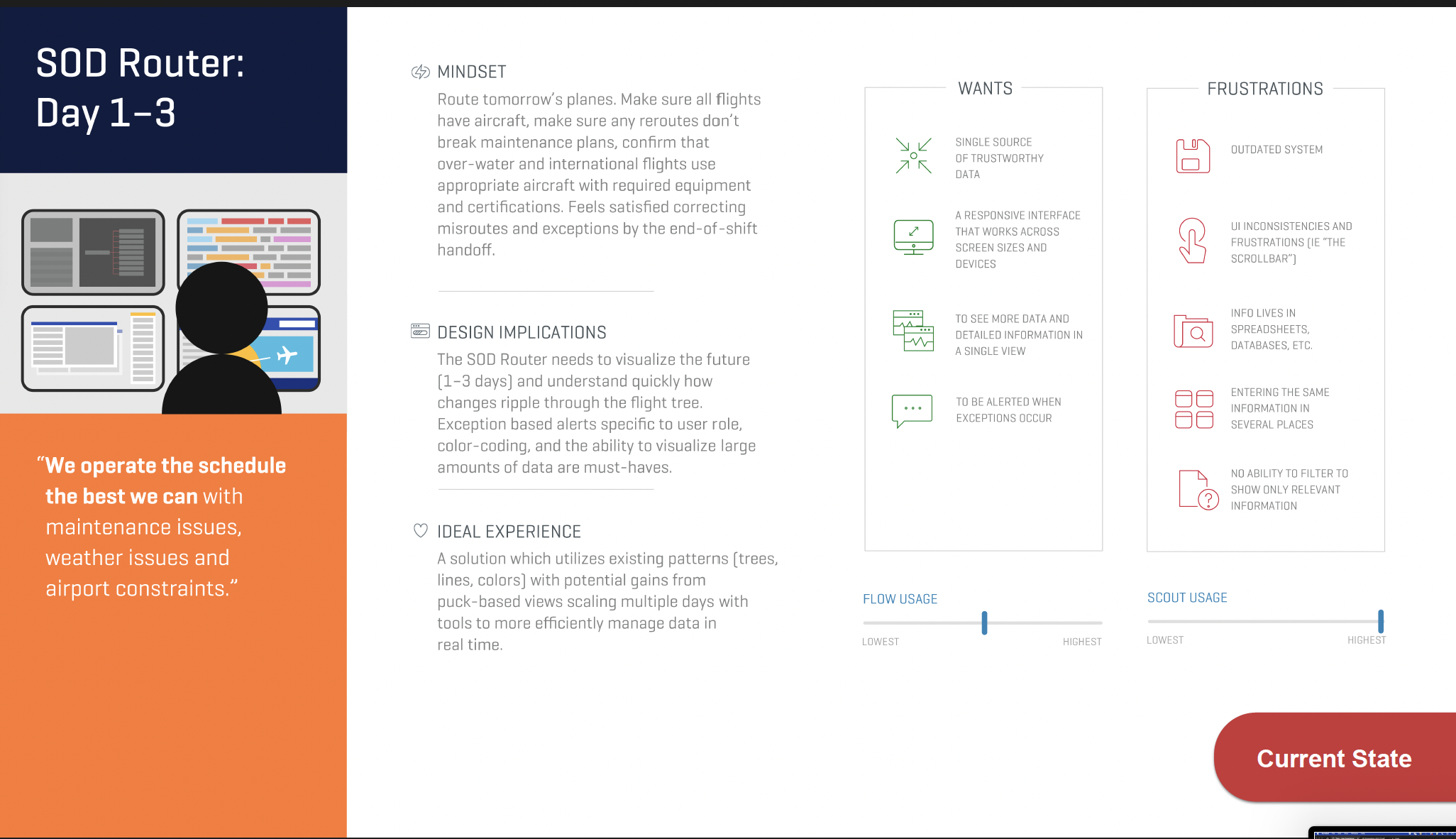
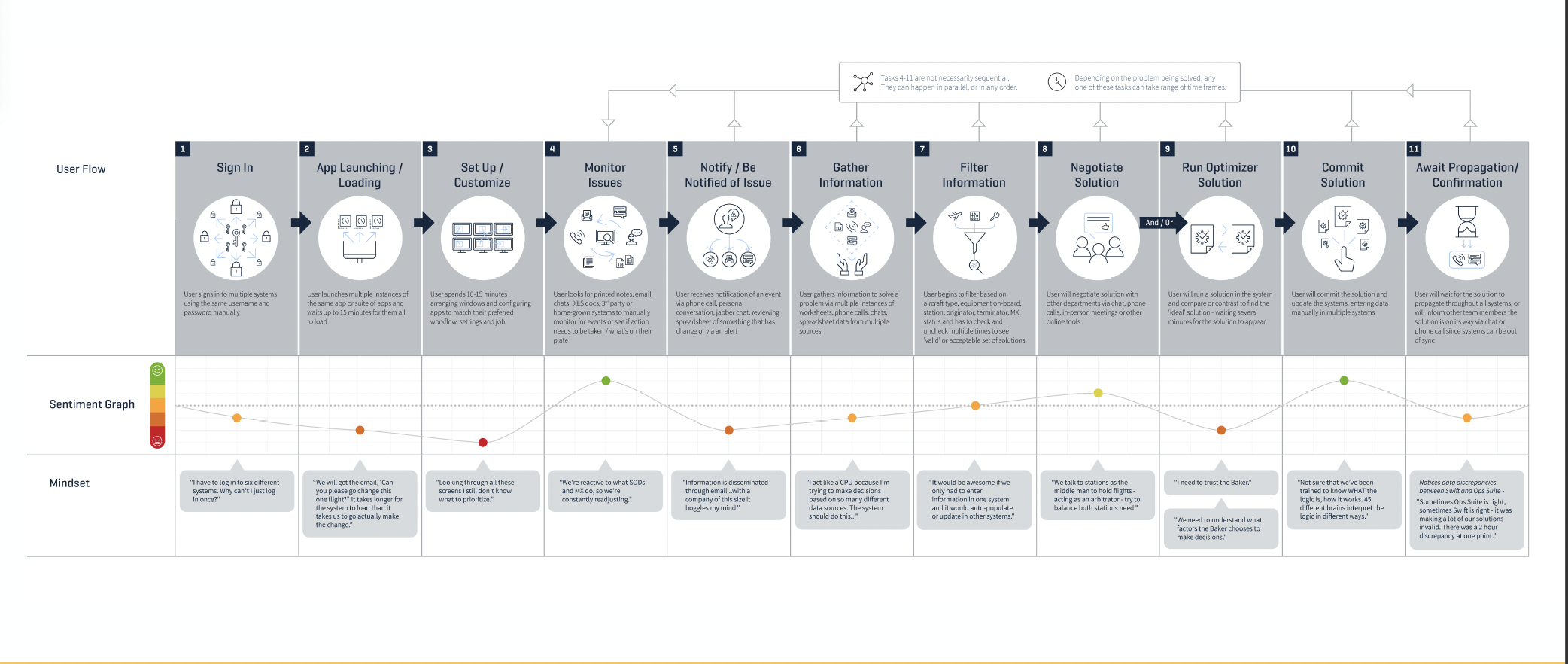
User insights | The Journey
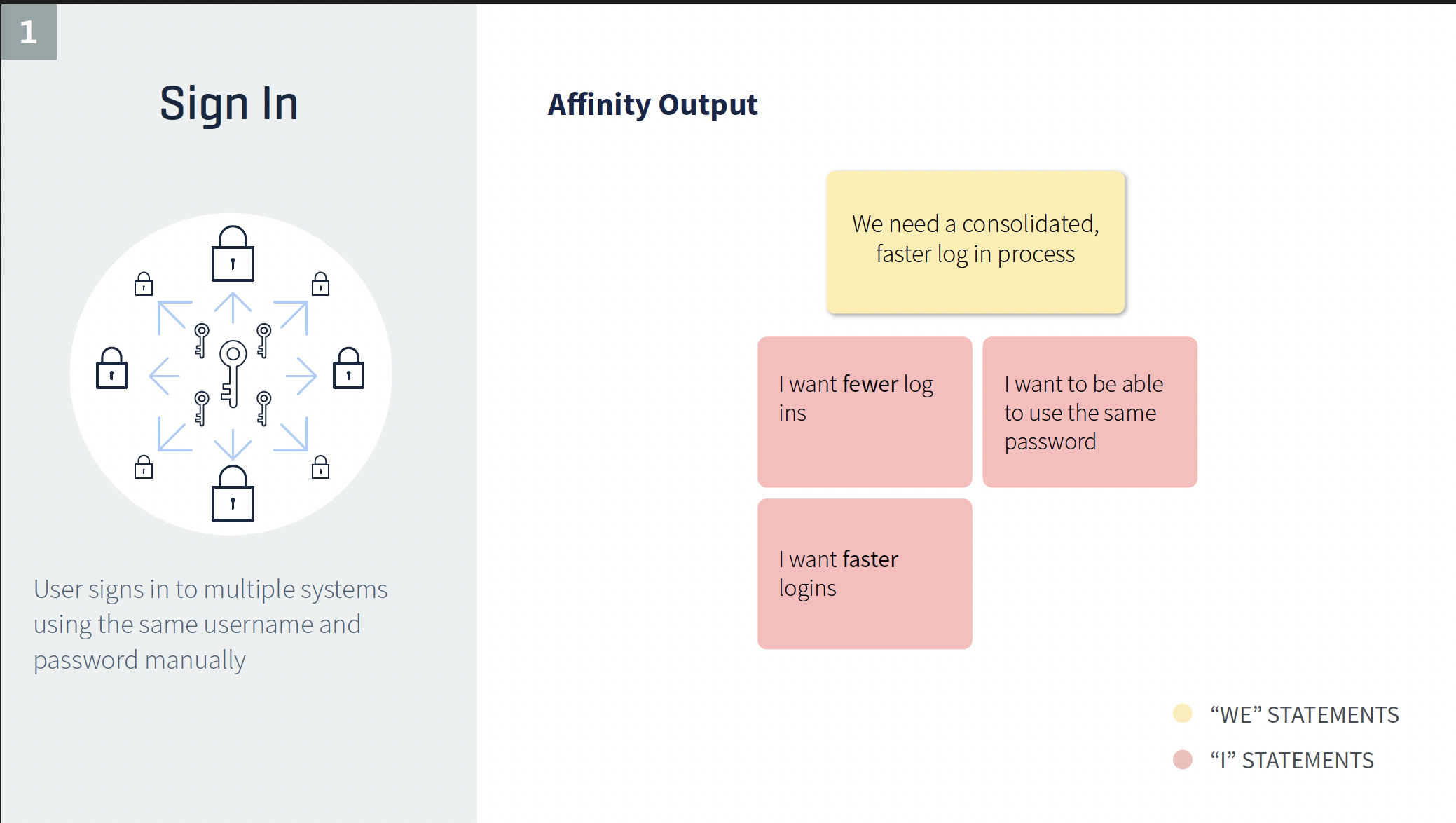
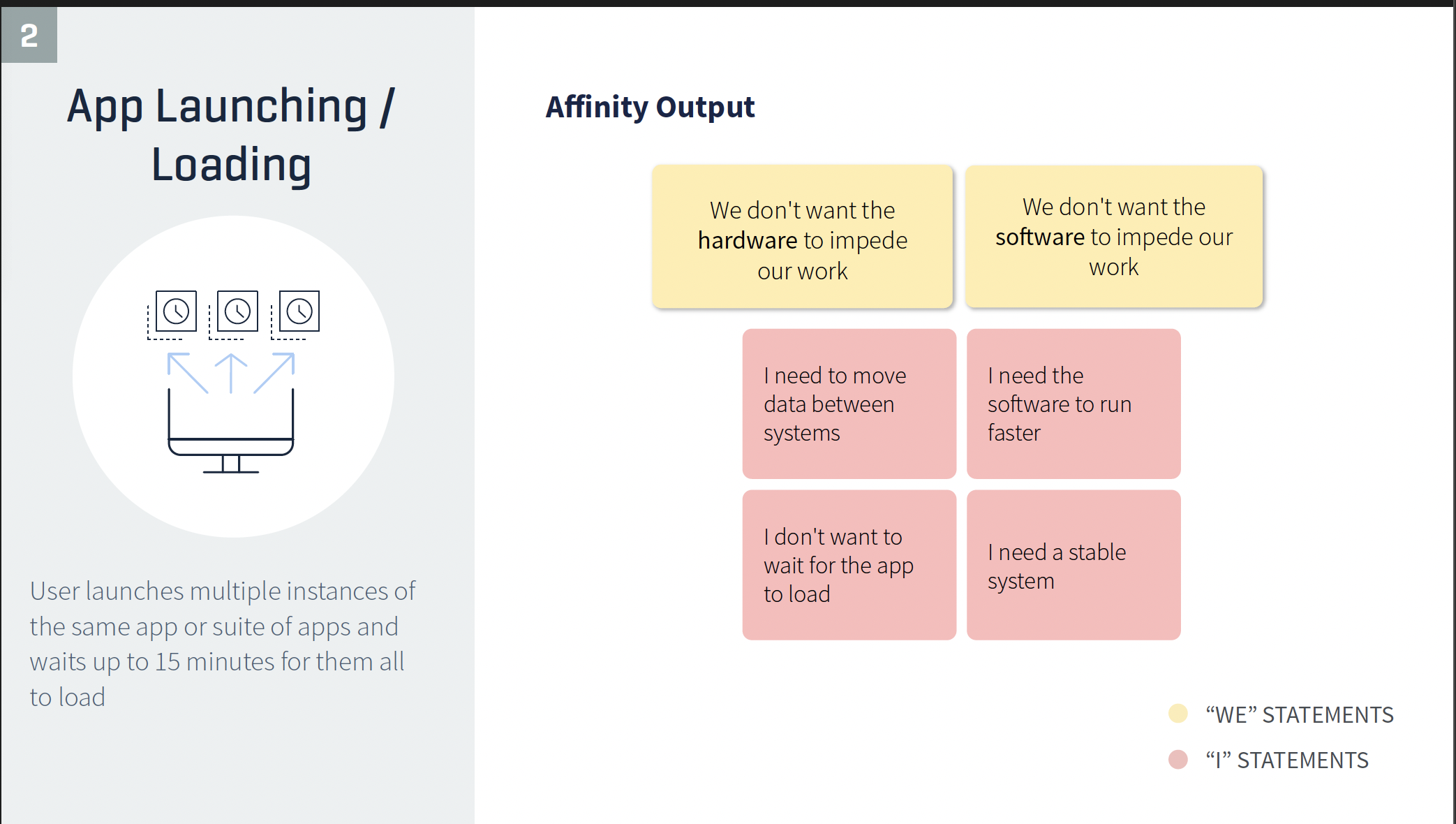

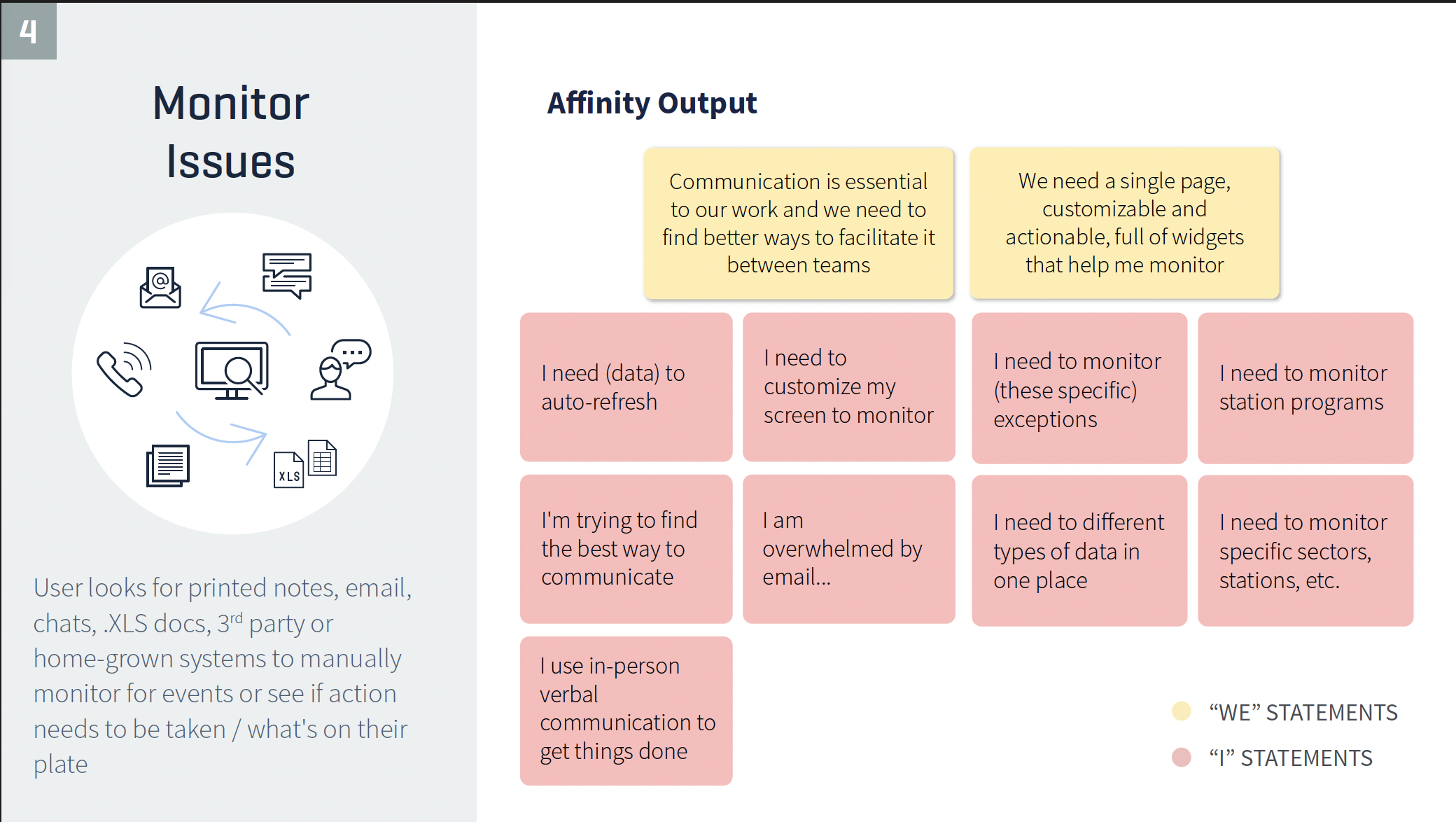
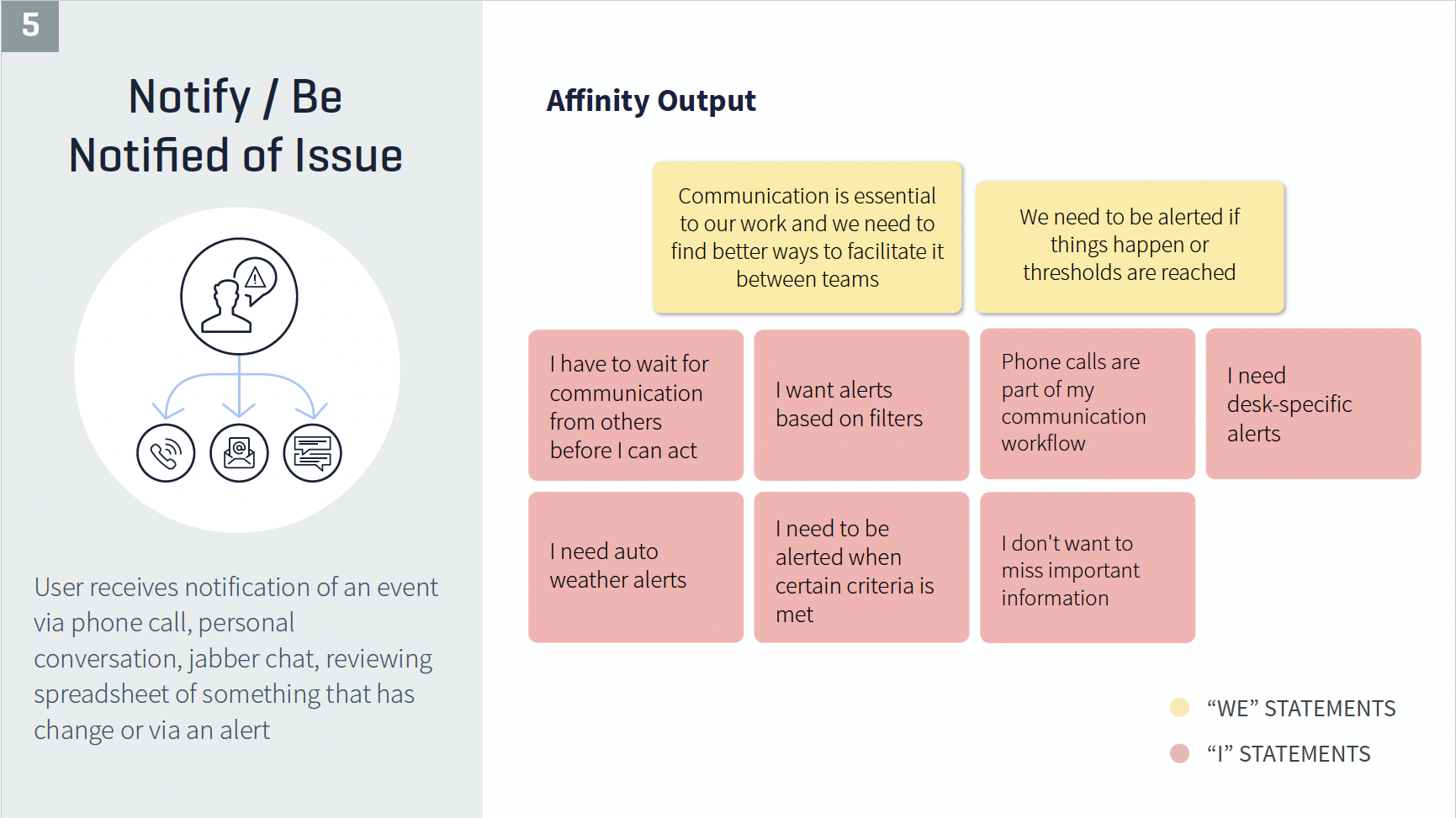
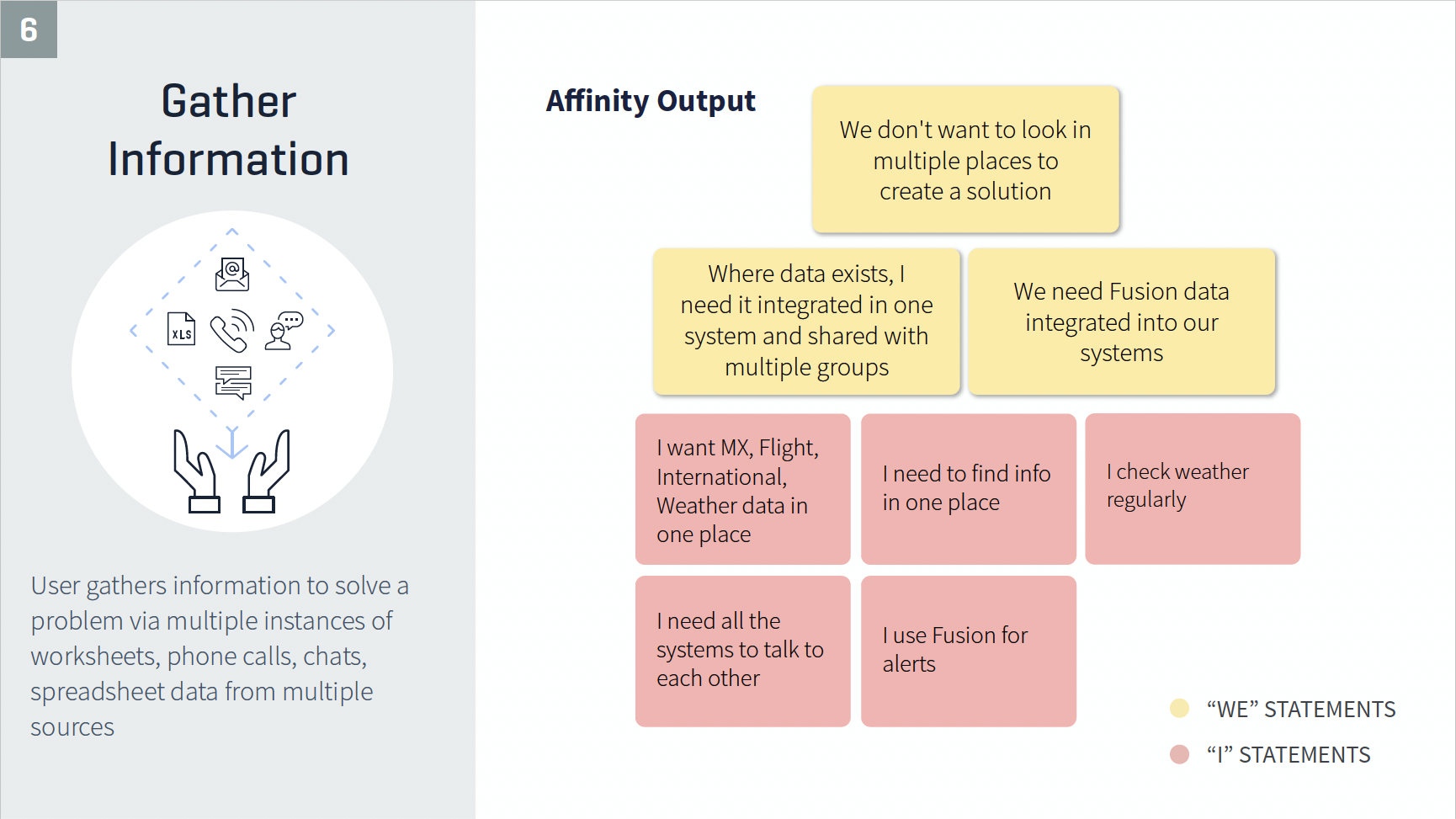
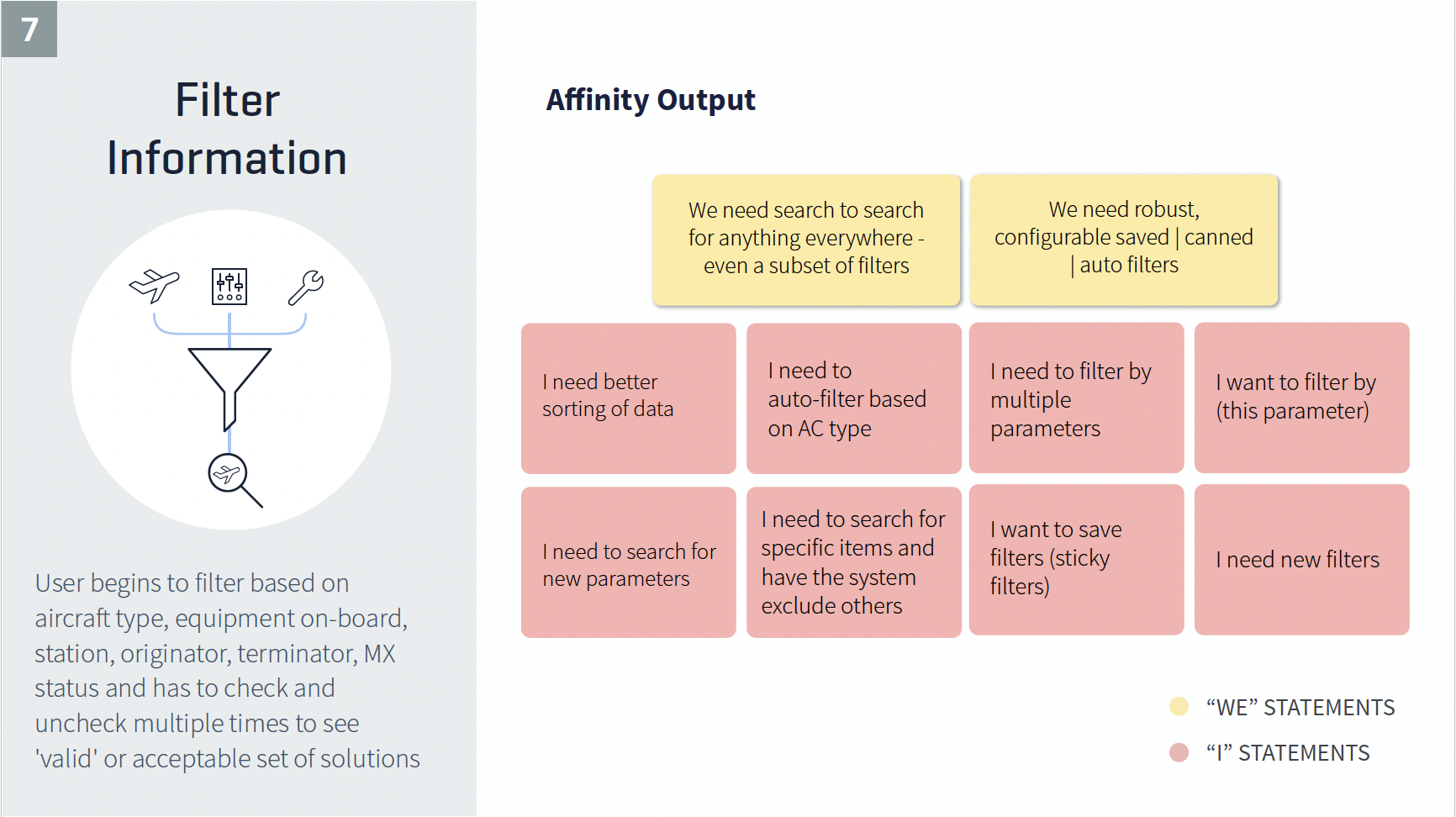
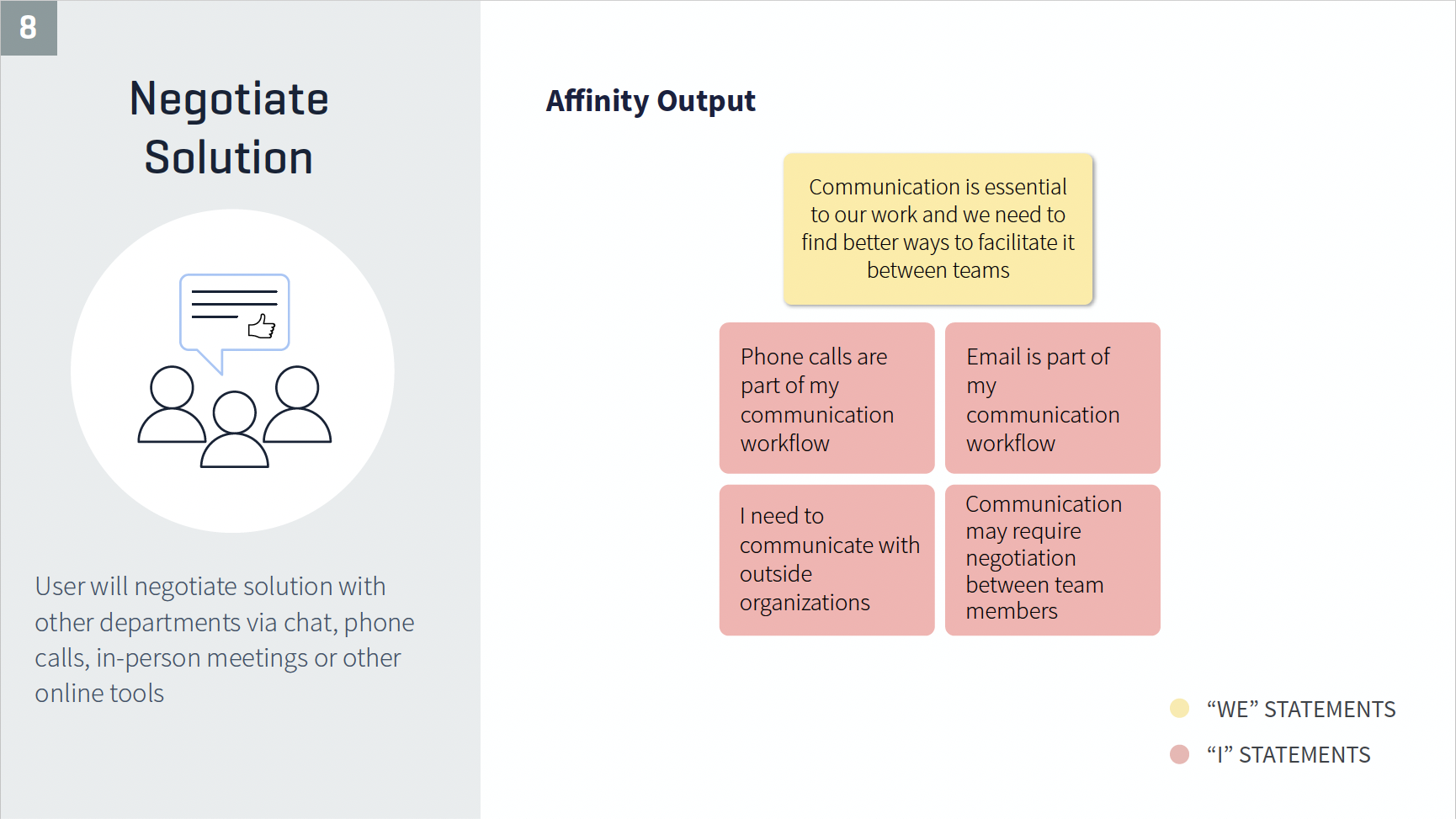
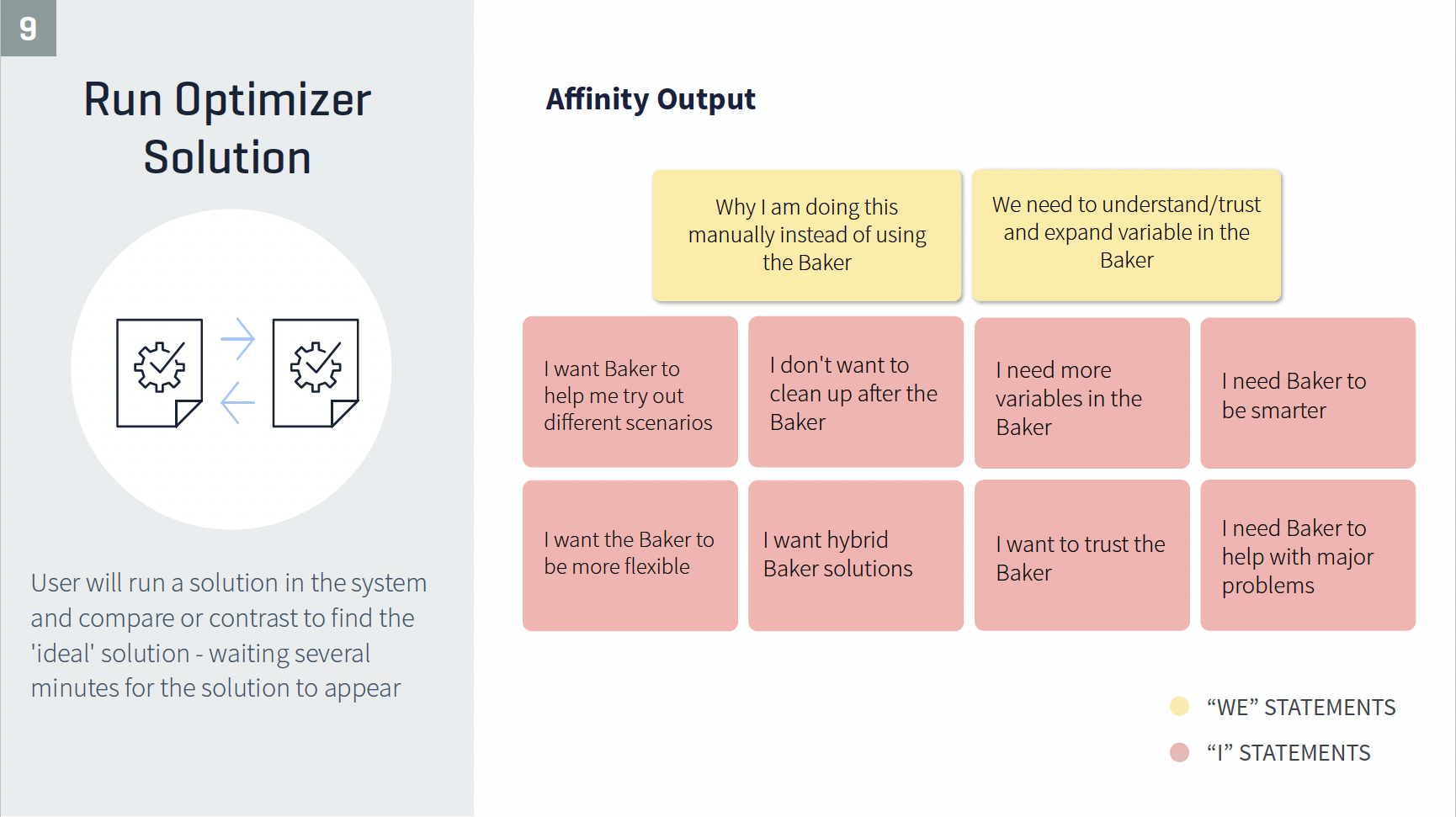
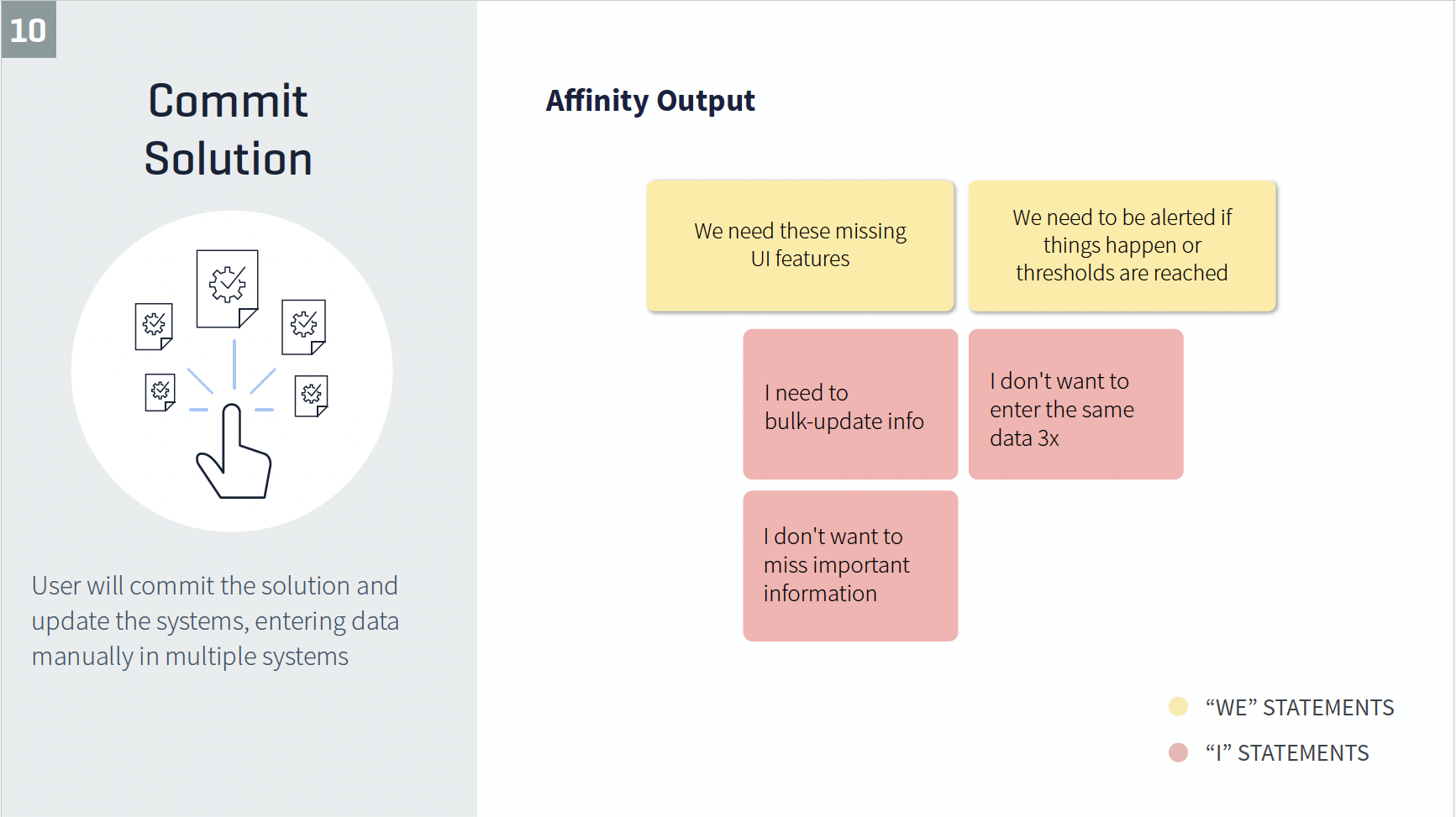
Opportunities
Alerts & Notification Center
- Exception led through subscription, severity and time to impact
Global Communication
- Transformation of notes and informational Flight Information Management System(FIMS)
Landing Page & Network Views
- Widget-based dashboard with new ways to look at the health of the network
Global Search
- Quick access to information
Global Baker Integration
- Quick access to optimizer from any location within OpsSuite
All-in-One Detail View
Rapid PrototypingI used sketching, Balsamiq, and Sketch App to create prototypes to test early and often. |
 |

Visual Design
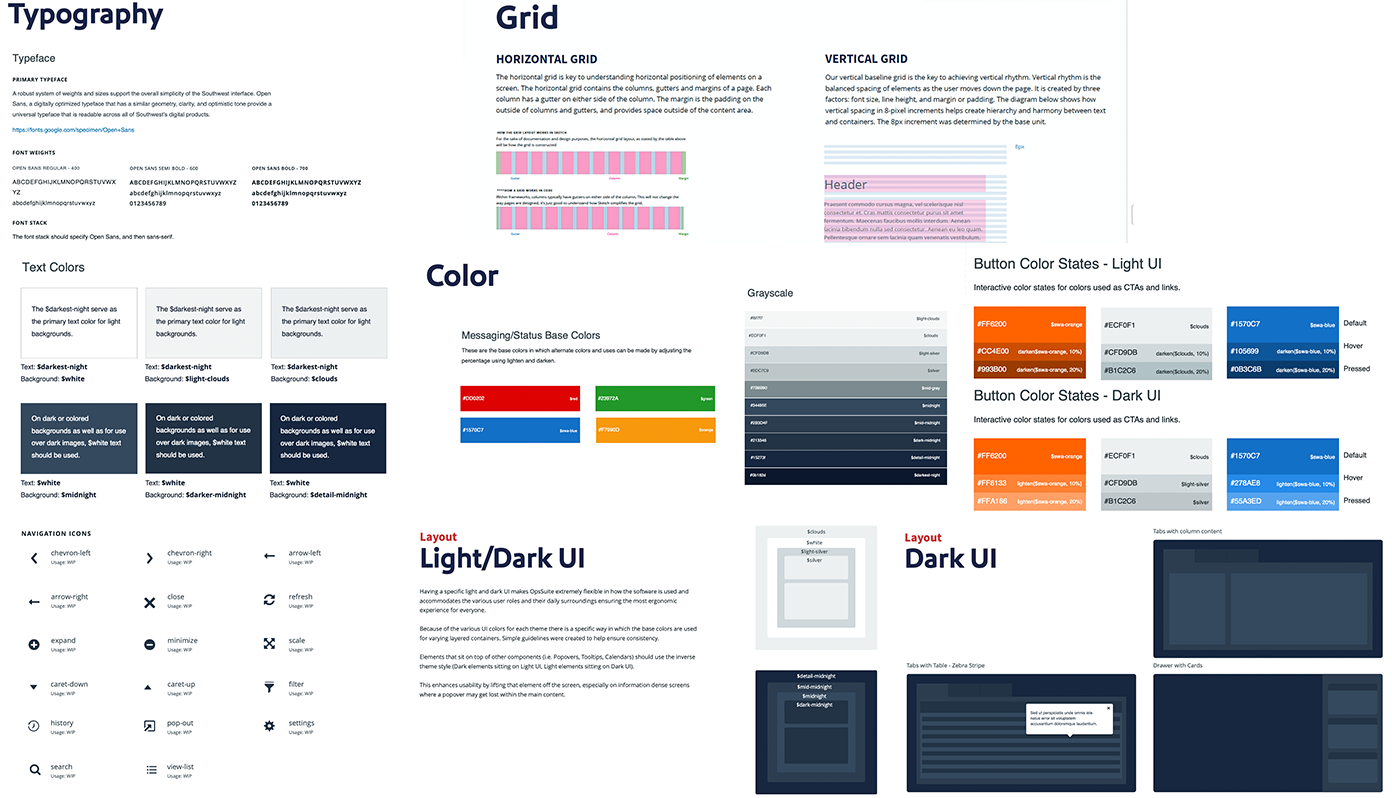
The Design System
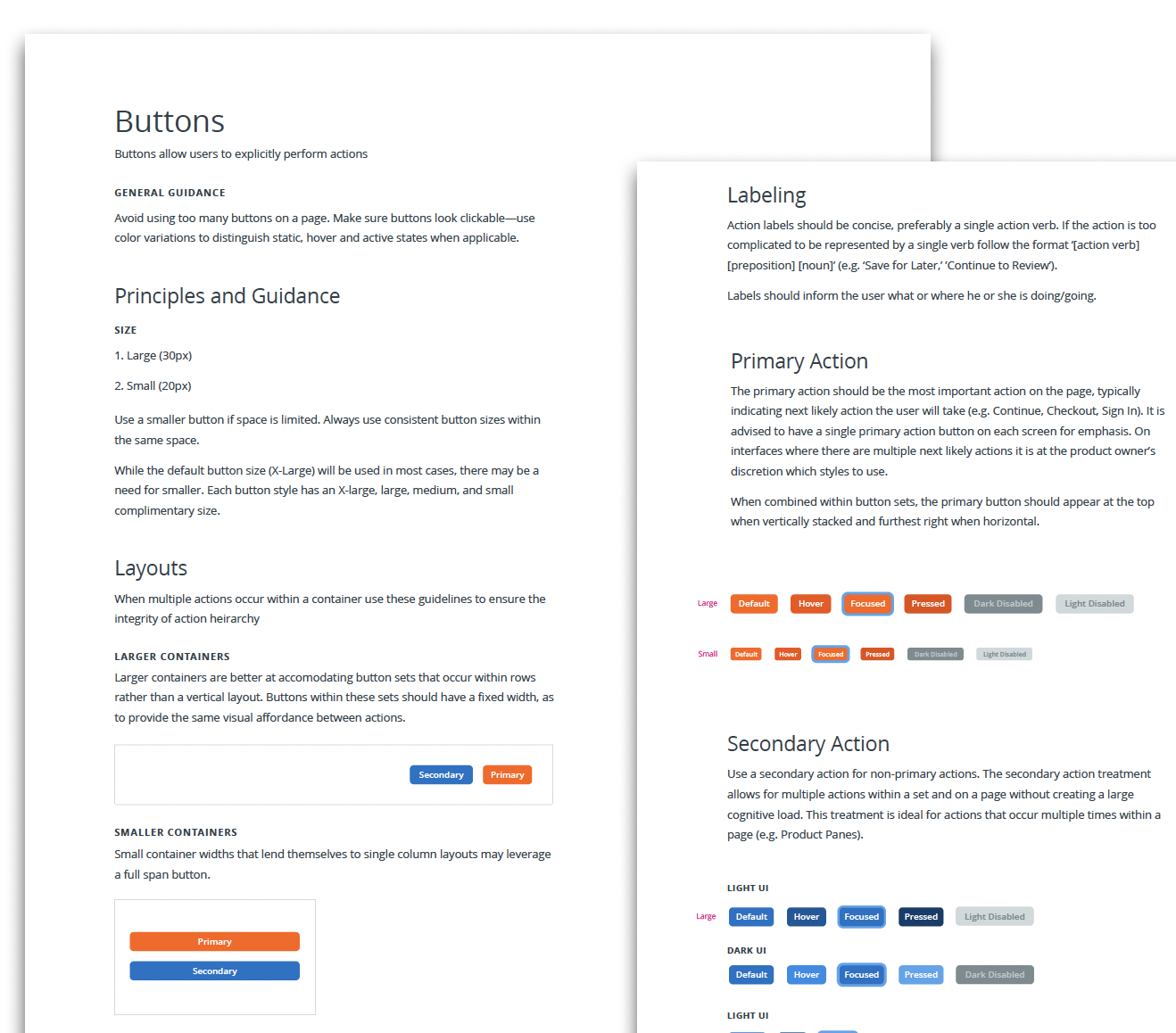
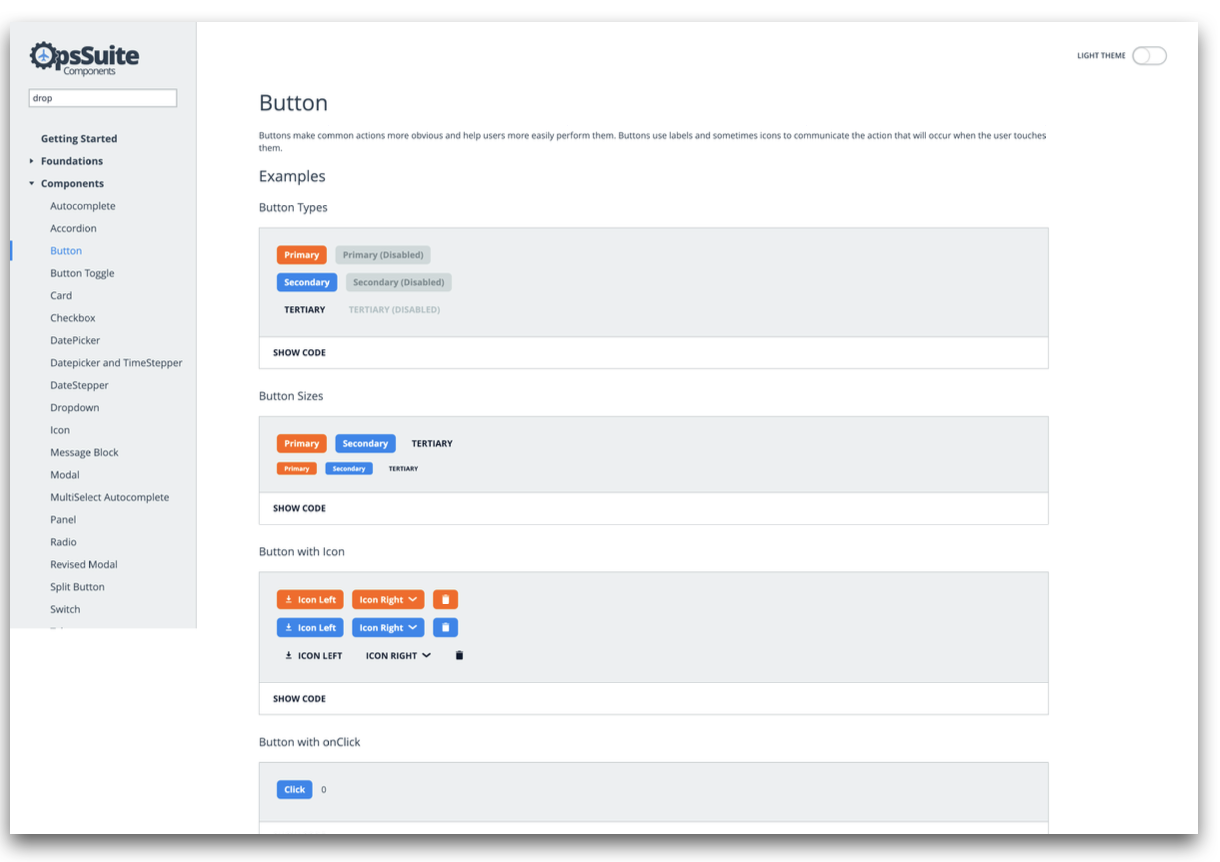
The Component Library
Worked with Development to build React Component Library, including weekly design reviews and sign-off.
Accessibility
Ensure the Component Library supports accessible development by providing semantically correct components, each with appropriate ARIA markup, that users of assistive technologies can identify correctly.
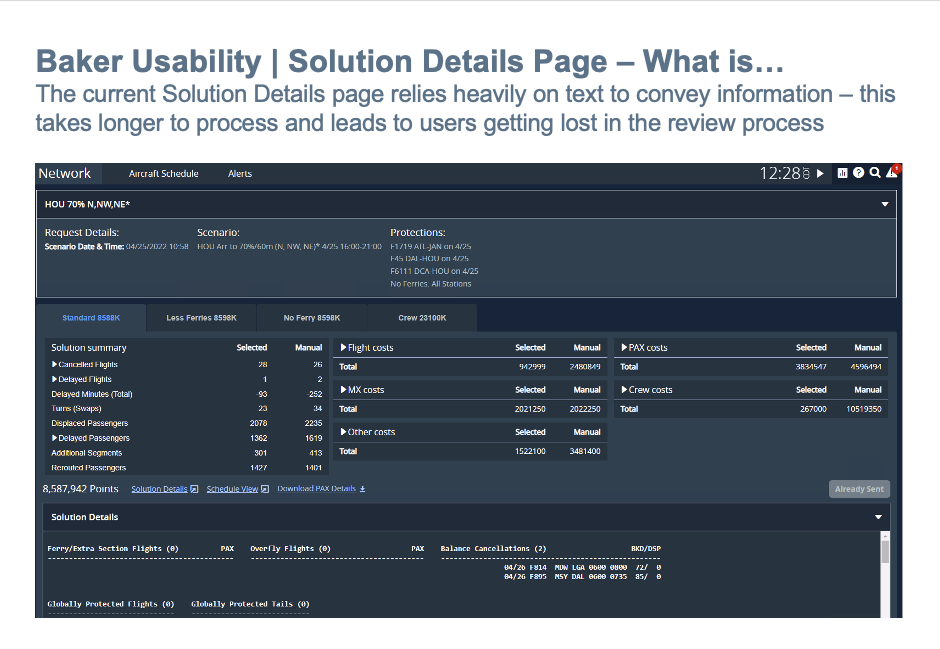
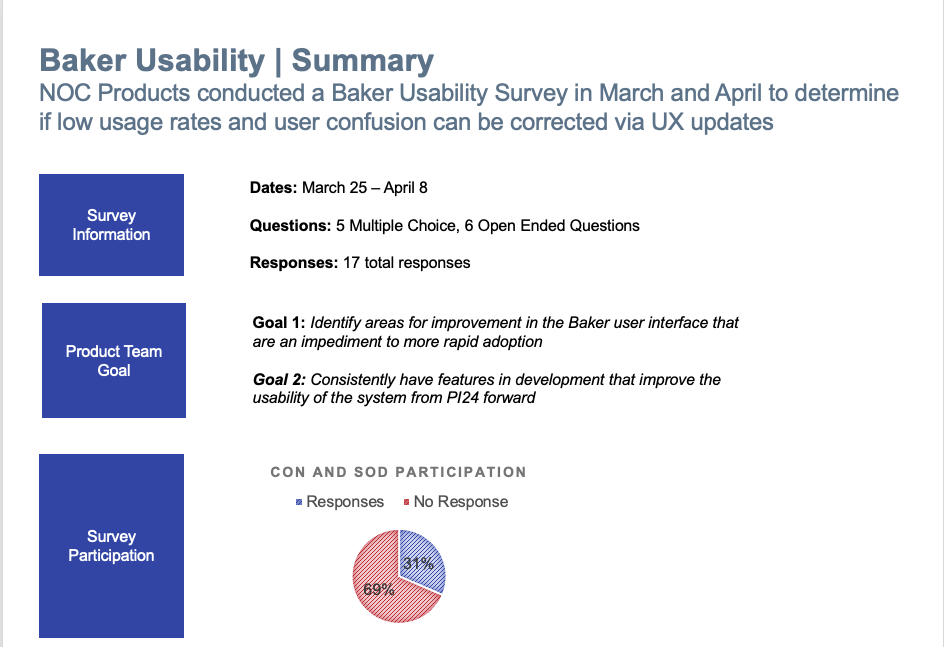
Life after Deployment - Did we get it right?
I conducted NPS surveys to gather valuable user feedback, which I found in one of our features.

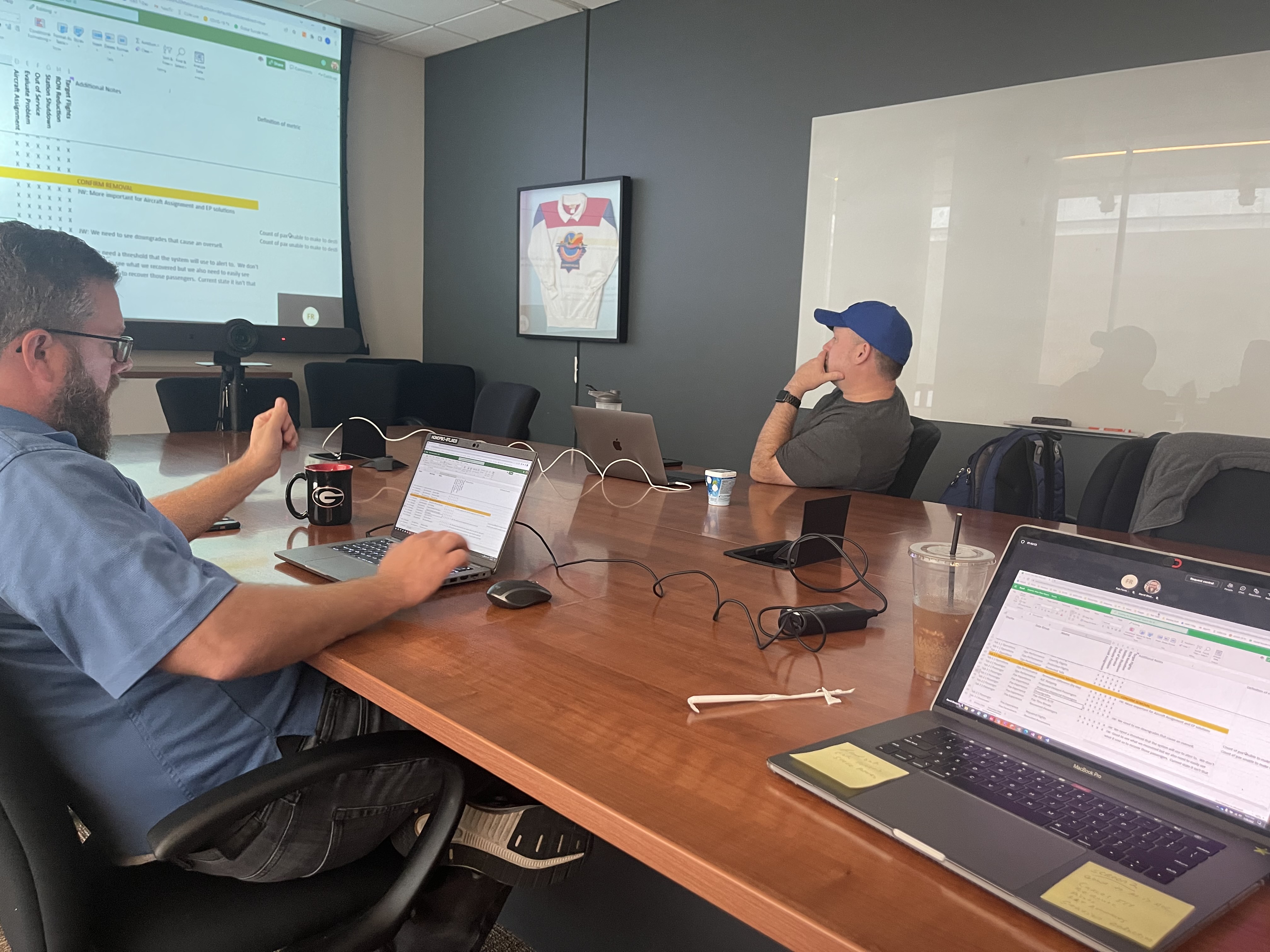
Enhancements: Workshop with a new set of SMEs
The goal was to create a more visual interface to help users quickly scan data and make decisions more efficiently.
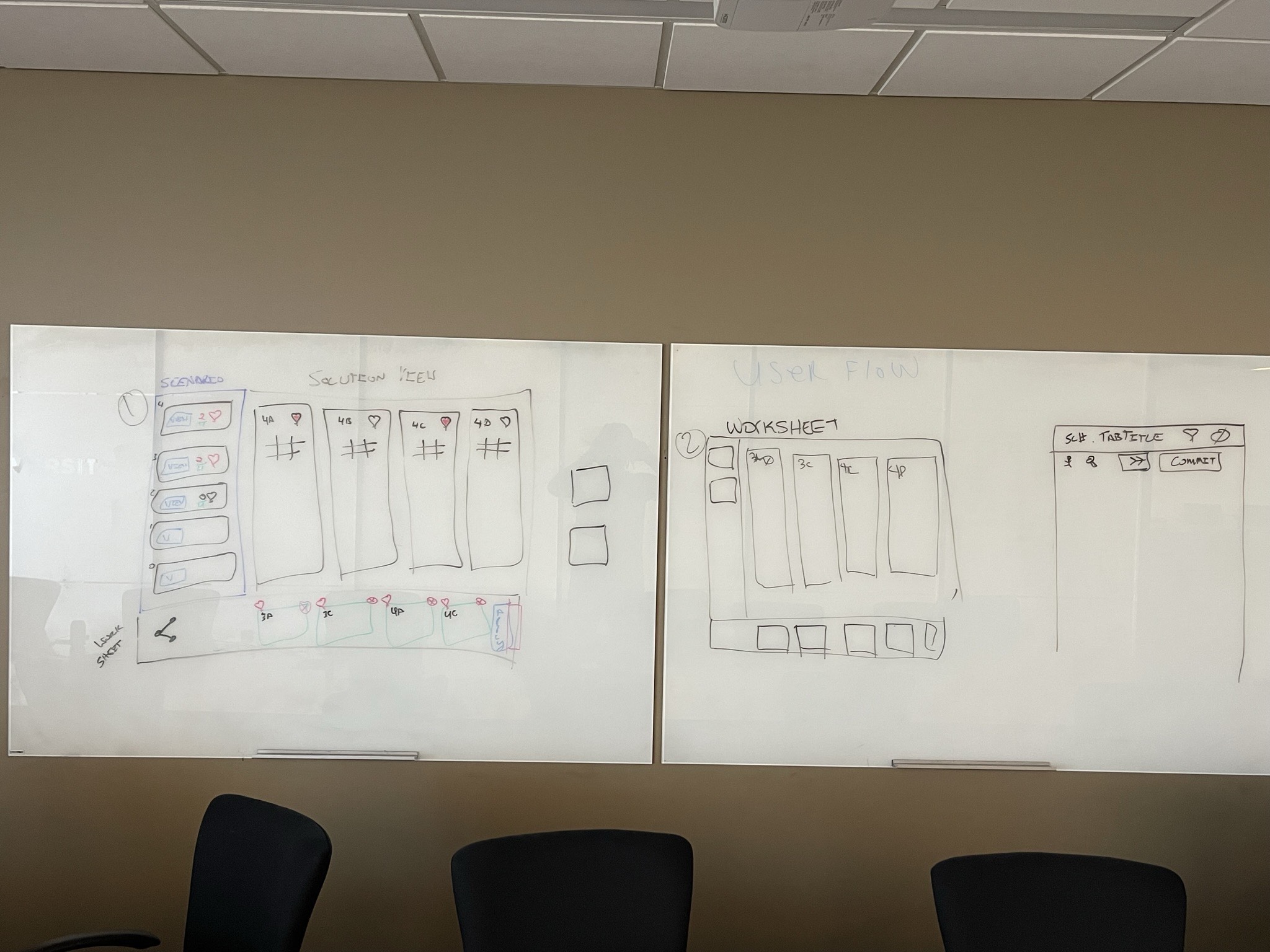
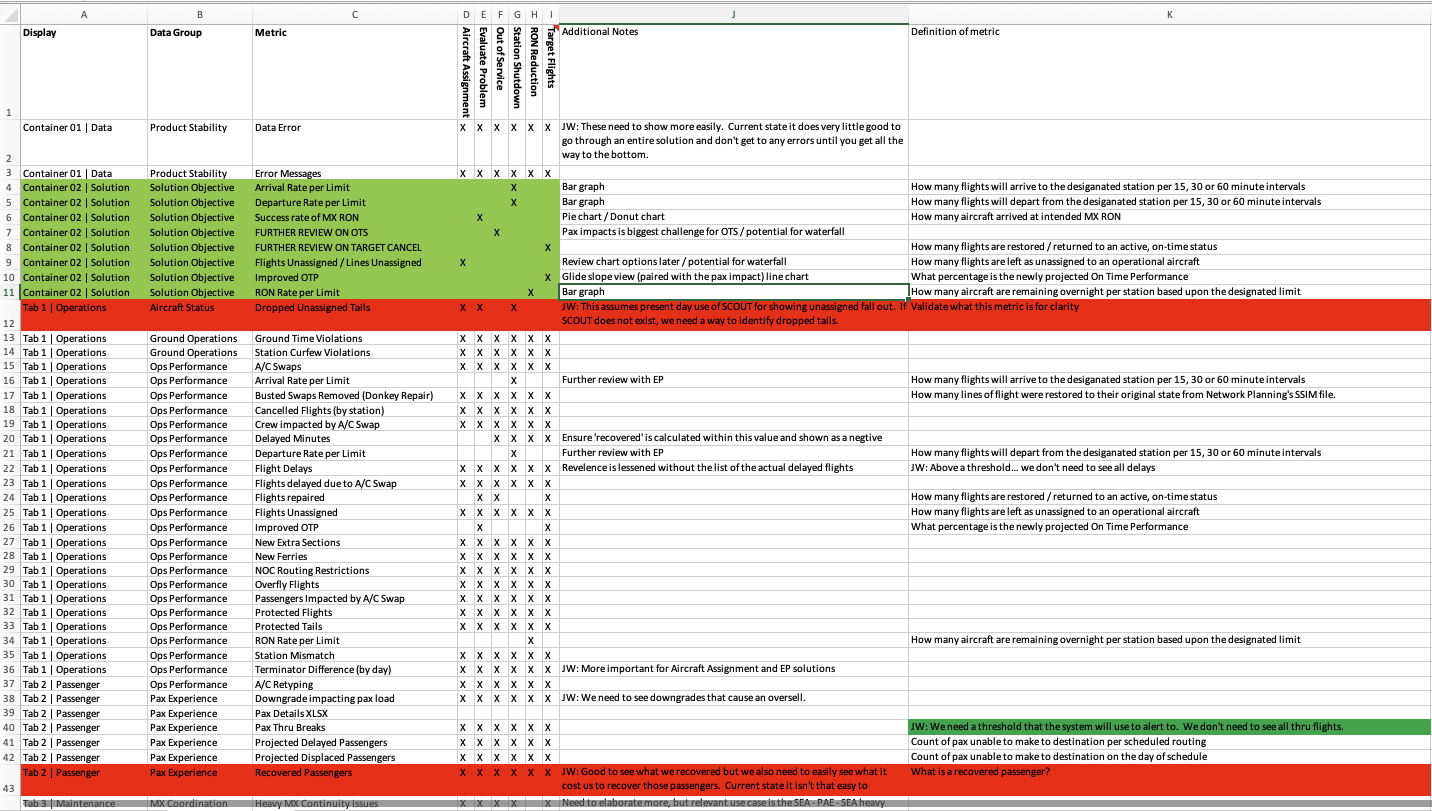
Scenario Matrix: We refined essential data and eliminated the unnecessary.
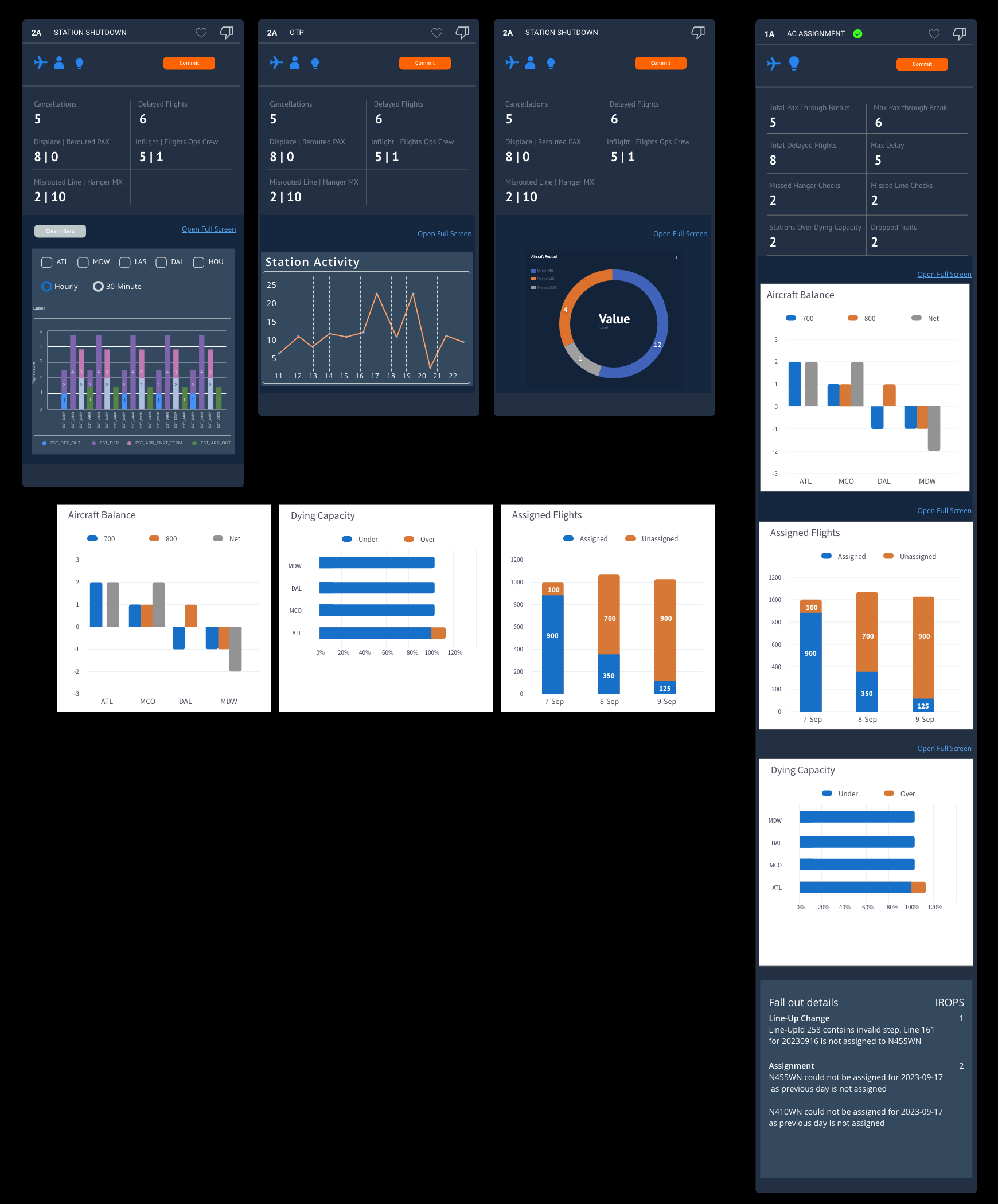
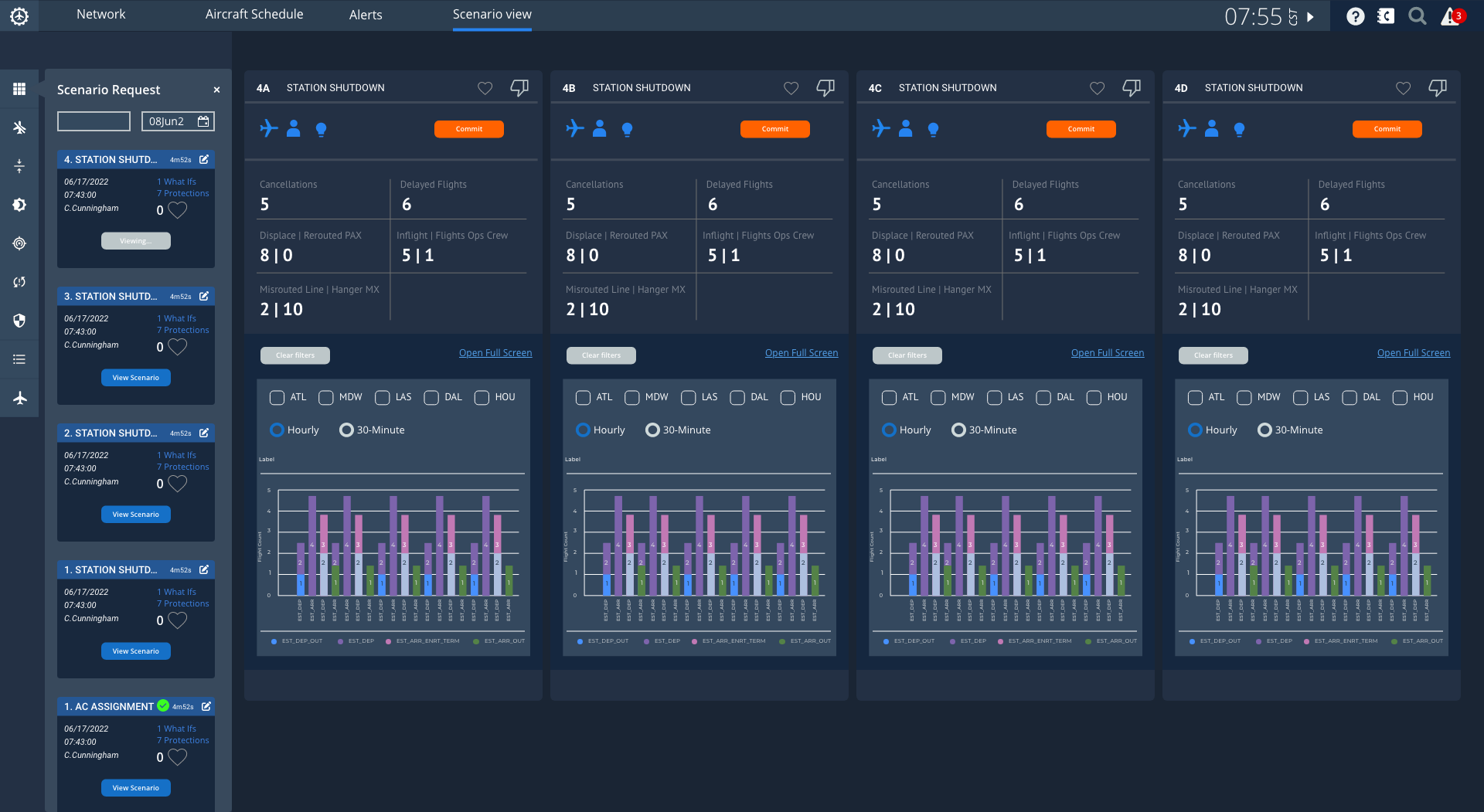
REDESIGN AND DELIVERY
I condensed the data into charts, which enabled users to:
- Compare different scenarios and solutions
- Save or dislike solutions
- Share solutions with other users
- Commit solutions to the optimizer
 |
As a Product manager, I had the opportunity to apply my product management skills during a reorganization. I collaborated with the development teams to outline tasks, deadlines, and features for the upcoming program increments.
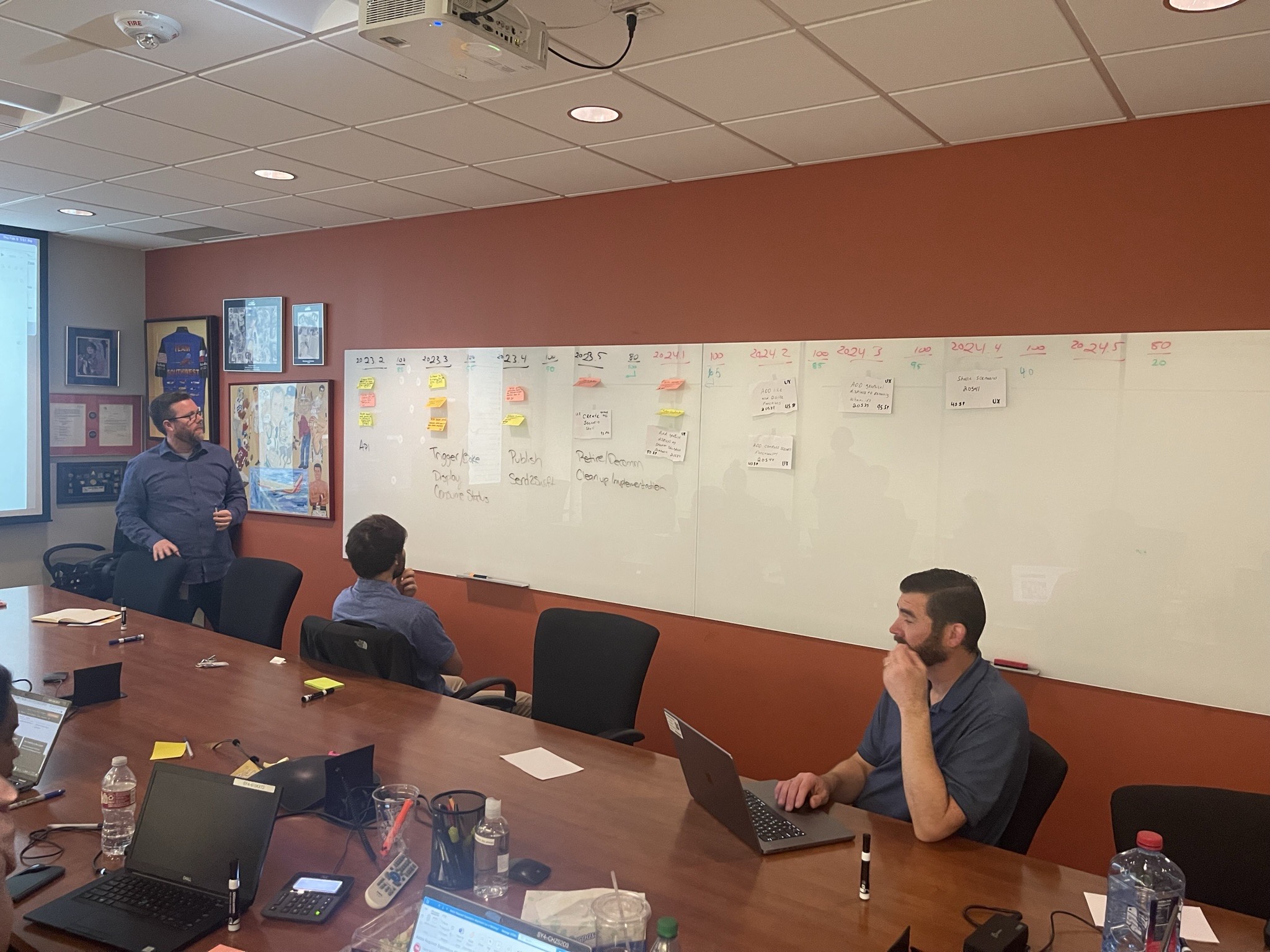
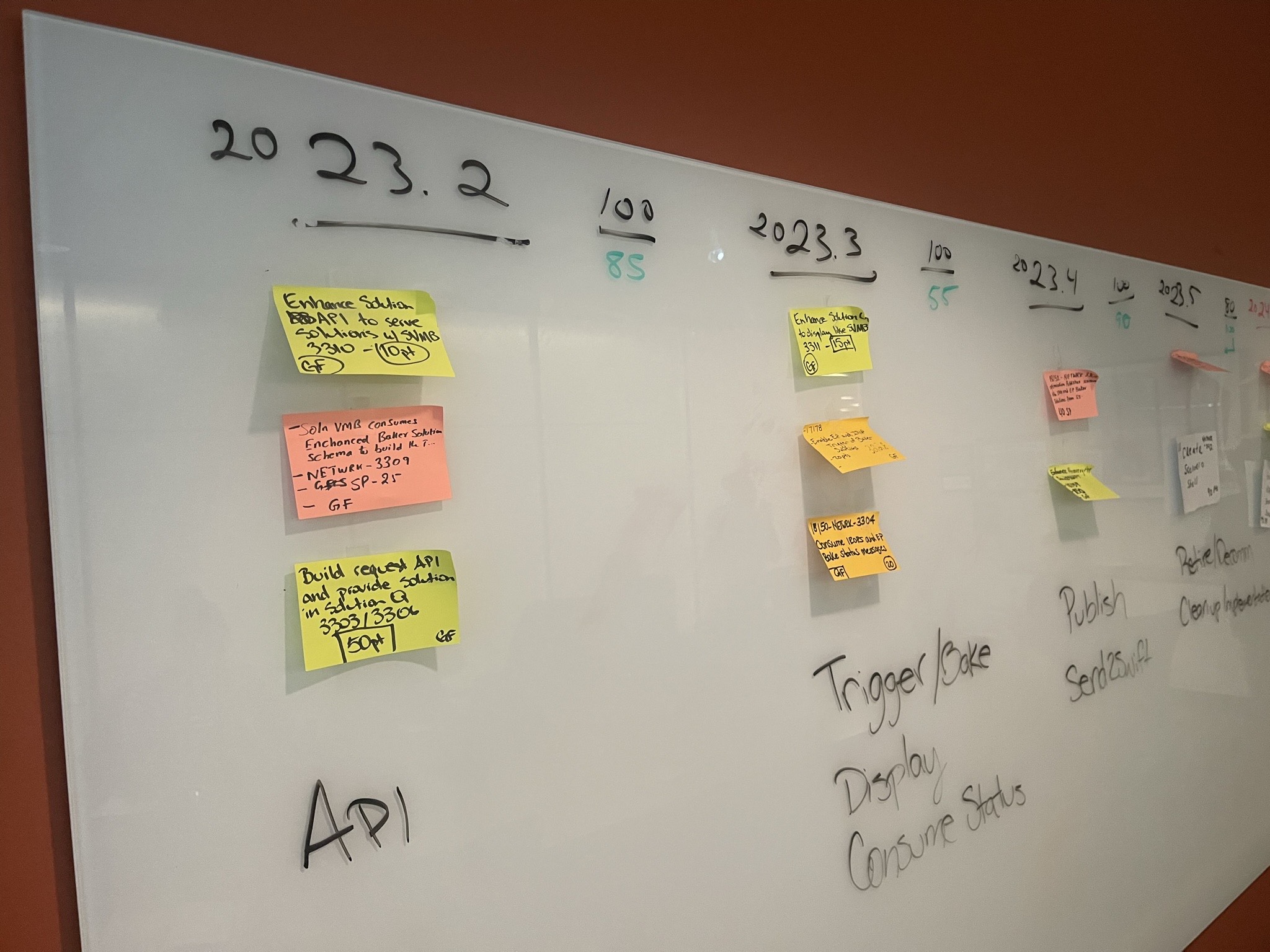
The finish line
- Shell features were developed. Stories were pointed out, and sign-offs and handoffs to the team were completed for development and deployment.
Thank you, and this wraps up the case study.
- The arrow in the orange box pointing up to the right of the screen scrolls to the top of this screen.